

What are ZSK API solutions?
ZSK API solutions are REST interfaces that connect your own software to the ZSK embroidery world: the ZSK Web API creates stitch files from text and monograms, ACE automatically converts images and vectors into embroidery data, the production board import brings jobs into planning, and the MY.ZSK API delivers production and machine data for your analytics. This lets you automate personalisation and production from order to analysis.
Four APIs for automated embroidery.
Combine the interfaces as needed – from a single shop plugin to fully connected production. Which gap in your process do you want to close first?
ZSK Web API
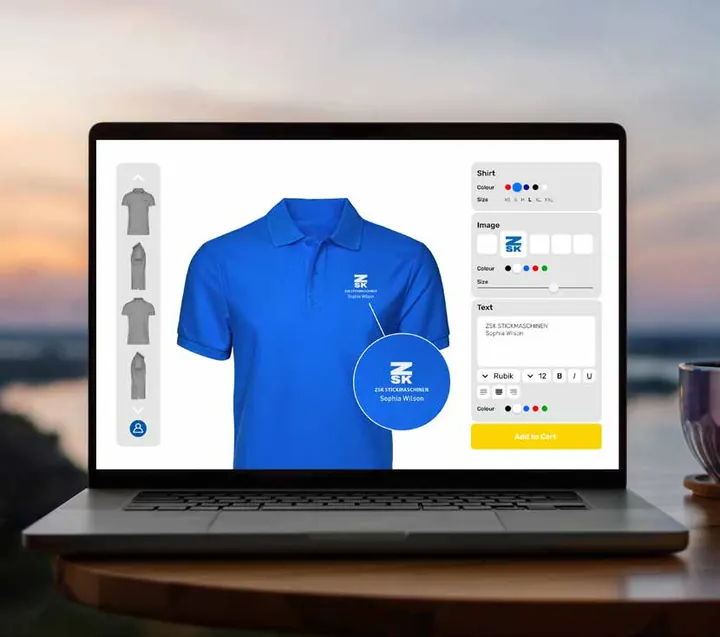
Your customers enter names, text or monograms in your shop and see straight away what the embroidery will look like. The Web API turns this into the finished stitch file – without manual punching.
- Stitch files in DST, DSZ, TBF and TC plus PNG preview
- Fonts, text alignment, position, line spacing, arched text and rotation
- Thread colours by manufacturer, series and colour number
- TrueView preview in selectable resolution
ACE – Automated Computed Embroidery
ACE creates embroidery data automatically from image data. Upload a logo or graphic – ACE reduces the colours, detects the background, scales the design and generates the stitch file with a preview.
- Pixel images as PNG, JPG or BMP
- Vectors as SVG or AI
- Colour reduction and background detection
- Pre-check new files with OptimizePng
MY.ZSK API
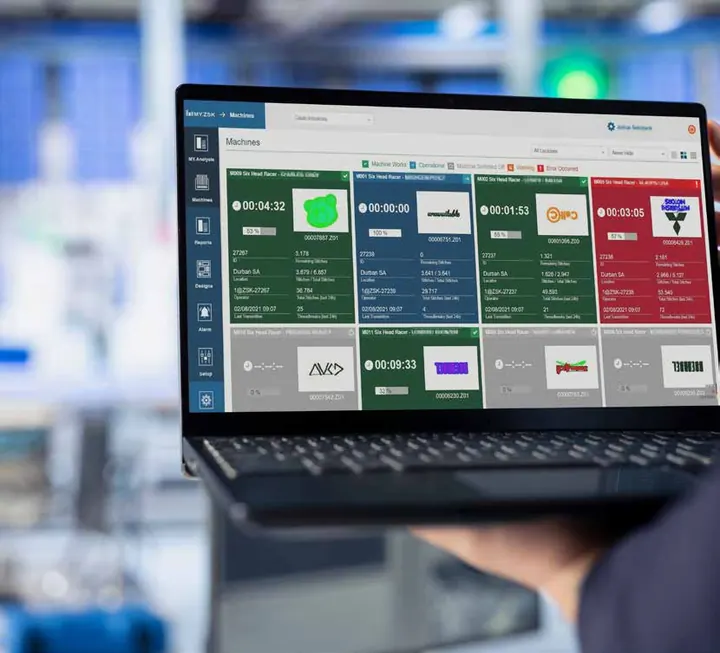
The MY.ZSK API is a read-only REST interface to embroidery data, machine status and analytics from MY.ZSK. Use it to build your own dashboards, shift reports or an operator app and connect the data to ERP and BI.
- Production, run times and utilisation
- Thread breaks by machine, head and needle
- Analysis by shift and operator
- Sample dashboards on StitchTwin
Production Board Import
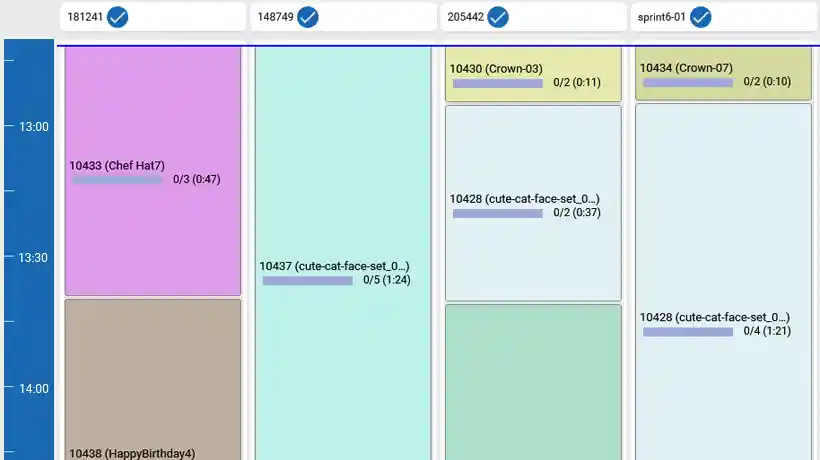
Automatically import jobs from your ERP, inventory system or Excel into the ZSK production board. Plan machine, frame and thread assignment without entering jobs twice.
- Import via Excel file
- Structured data via JSON
- Sample files in the documentation
- Works with ZSK TERMINAL
From order to analysis – without media breaks.
This is how the ZSK interfaces work together for embroidery on demand:
Customer personalises text or uploads a logo
Stitch file and preview are created automatically
Job is imported and scheduled
Push or barcode starts the job on the machine
Production data flows into your dashboard and ERP
Where API solutions pay off.
Personalisation in your shop with real-time preview – the stitch file is created without punching effort.
Take logos and employee names from ordering portals straight into production.
Generate names and numbers for whole teams as a series – with consistent font and position.
Schedule jobs automatically and feed machine data into your KPIs.
Your first stitch file in a few steps.
- REST interface with standardised JSON responses and HTTP status codes
- Stateless: every request contains all required data including the Web API licence
- Web API Client in the browser for building and testing requests
- Documentation with examples, e.g. for two-line text
FAQ about the ZSK APIs
Planning an integration? Our software team supports you.
What is the ZSK Web API?
The ZSK Web API is a REST interface that automatically creates stitch files in DST, DSZ, TBF and TC formats plus a PNG preview from text and monograms. It can be integrated into online shops and ordering portals so that end customers design their embroidery themselves.
Can I create a stitch file from a logo automatically?
Yes, with ACE (Automated Computed Embroidery). ACE processes pixel images as PNG, JPG or BMP and vectors as SVG or AI, reduces colours, detects the background and generates embroidery data with a preview. For best results we recommend PNG.
What data does the MY.ZSK API provide?
The MY.ZSK API is read-only and delivers embroidery data, machine status and analytics from MY.ZSK – for example on production, thread breaks, shifts and operators. StitchTwin shows examples of dashboards built with it.
Do I need a licence?
Yes. For the ZSK Web API, a Web API licence is passed with every request. Contact us – we will clarify scope and terms with you.
Where can I find the technical documentation?
The documentation with examples is available at embroidery-api.com. You can test requests with the Web API Client at tools.embroidery-api.com.