


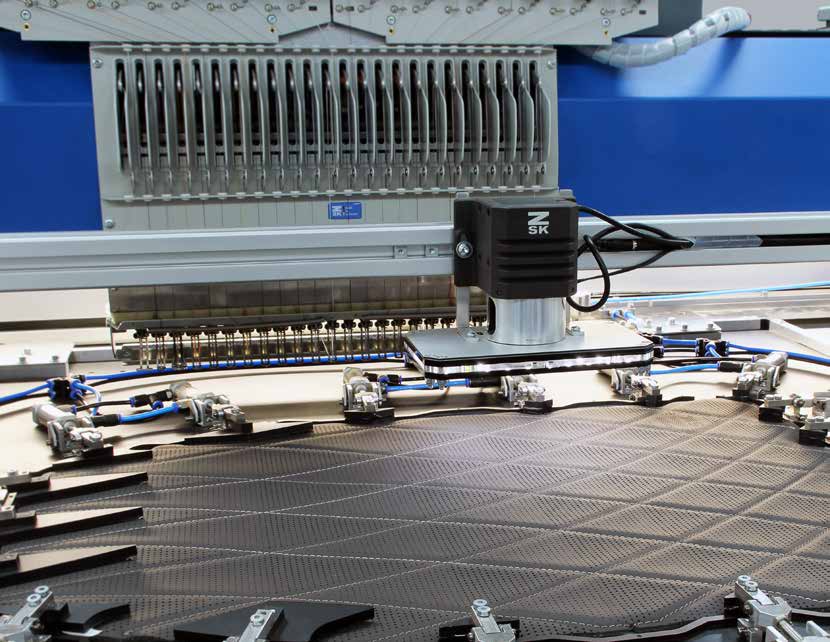
OPS 2: seams and embroidery aligned to perforated leather
The ZSK Optical Positioning System OPS 2 – the Vision System – measures every perforated cut part with a camera and recalculates the seam in a fraction of a second. So decorative seams run between the holes, not through them.
What is OPS 2?
OPS 2 (Optical Positioning System 2), also called the ZSK Vision System, is a camera system for ZSK single-head embroidery machines. It detects perforation holes, edges and reference markers on perforated leather, Alcantara or artificial leather, compares them with the CAD file and adapts the seam by stretching, compressing and rotating – so every seam lands precisely between the perforation holes.
How does OPS 2 place a seam between the holes?
The camera measures, the software recalculates, the machine sews – and measures again before the next seam.
- 01 EPCWIN
DXF loaded; EPCwin creates the sewing file and the ZEPL camera file
- 02 CLAMP
Cut part in the special frame, ideally picked up on pins
- 03 SCAN
Camera captures up to 10 scan points per seam
- 04 COMPARE
Variance analysis: CAD file vs. real cut part
- 05 ADAPT
Seam stretched, compressed or rotated in a fraction of a second
- 06 SEW
Seam sewn – then the next one is measured again
Why does leather move?
The CAD file is ideal; the real cut part is not. OPS 2 compensates the deviations caused by previous processes and by sewing itself.
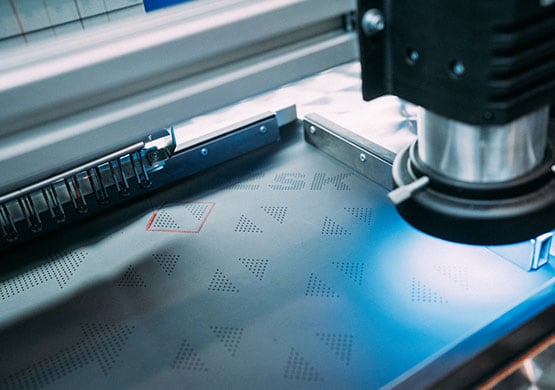
Leather behaves differently depending on these properties.
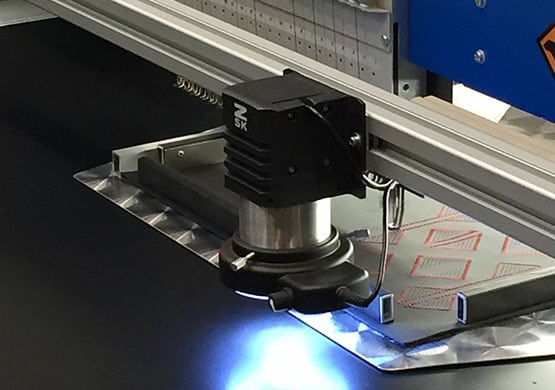
Both shift the hole pattern relative to the CAD file.
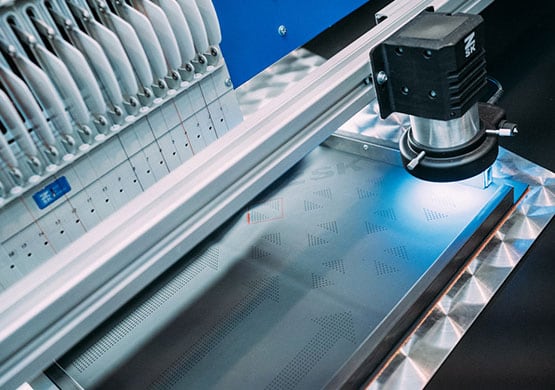
Every seam pulls the material – so the part is re-measured after each seam.
OPS 2 Standard or Advanced?
Two software versions, depending on your requirements.
- All Standard functions
- Edge detection: first and last scan point at the cut-part edges – exact back-tacks independent of cut-part tolerances; filters for positive and negative notches
- Design vs. frame check before the machine starts – avoids machine damage
- Hole colour selection for better contrast on Alcantara, Dinamica and suede
- Requires ring light premium and table plate inserts
- Perforation, embossing, welding and print on leather and fabric
- Up to 10 scan points per sewing line or decorative element
- Different hole sizes and shapes
- Detection of different colours
- Adjustable to different material heights
- QR code for each design
Edge detection is a ZSK development that solves misaligned back-tacks caused by tolerances in previous processes – recommended e.g. for production with fine cuts.
Hardware that makes OPS 2 reliable.
The OPS 2 scope of delivery is the camera and a laptop. These options improve contrast, ergonomics and uptime:
- Ergonomic T8 and laptop mount – twin mount for parallel work with laptop and T8
- Camera protection (Art. No. 361.036.902) – avoids recalibration after impacts from the frame cover
- Area light (Art. No. 361.036.903) – best contrast, ideal for leather edge detection, retrofittable
- Contrast plates / table plate inserts in black and white
- Barcode scanner mount (Art. No. 361.001.852) – scanners always in reach
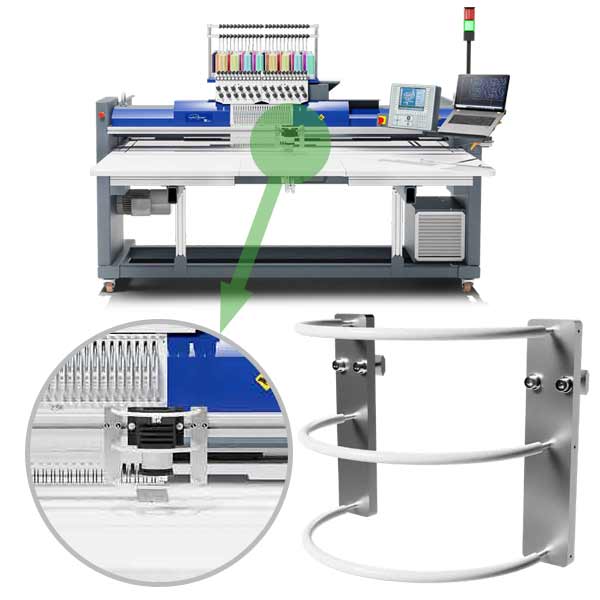
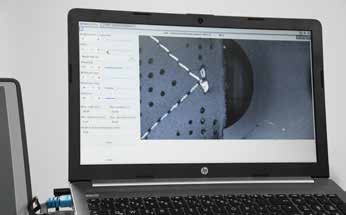
What OPS 2 can – and cannot – compensate.
OPS 2 compensates linear changes: shrinkage during embroidery, linear expansion and tolerances from previous processes, by stretching, compressing and rotating the seam. If leather is glued to foam and pulled by hand, the hole pattern changes non-linearly – no vision system can compensate that. We check this with you during sampling.
Requirements: single-head machine, EPCwin, training for OPS 2 and EPCwin.
When a part needs both sewing and embroidery, the Vision System and AutoSelect pick the right bobbin thread and bobbin case with the right tension. Bobbin changer →
Each design gets a QR code – scanning loads design, frame and OPS parameters.
OPS 3 recognises height, not only contrast. Go to OPS 3 →
More on camera positioning
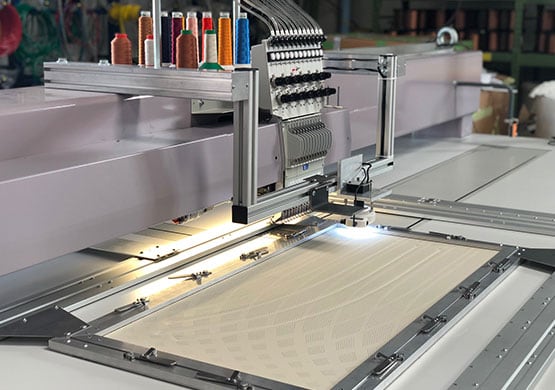
Send us a perforated part – see OPS 2 at work.
Our embroidery studio has sampling machines with the ZSK Vision System. Send your workpiece and DXF file – we sample, analyse the cycle time and build the frame.
Questions about OPS 2 and perforated leather
For production engineers and quality managers. Missing your question? Our camera specialists answer personally.
What is OPS 2?
OPS 2 is the ZSK Optical Positioning System, also called the ZSK Vision System. A camera on the embroidery machine detects perforation holes, edges and reference markers on a cut part, compares their actual position with the CAD file and recalculates the seam or decorative element within a fraction of a second, including enlarging, downsizing and rotating, so it sits exactly between the perforation holes.
Why do perforated leather parts need a camera?
Leather behaves differently depending on thickness, temperature and lacquer, and it contracts while it is sewn or embroidered. Lamination and perforation add further deviation. Without measurement, a seam drawn in CAD lands on the holes instead of between them. OPS 2 re-measures the workpiece after each seam so every seam ends up in its intended position.
How accurate is OPS 2?
The ZSK camera system was developed for tolerances of approx. ±0.3 mm. It uses up to 10 scan points per sewing line or decorative element and compensates linear deviations such as shrinkage, stretching and rotation. Non-linear distortion, for example leather glued to foam and pulled by hand, cannot be compensated by any vision system.
What is the difference between OPS 2 Standard and Advanced?
Standard covers perforation, embossing, welding and print on leather and fabric with up to 10 scan points, different hole sizes, shapes and colours, adjustable material heights and QR codes per design. Advanced adds edge detection for exact back-tacks despite cut-part tolerances, a check whether the recalculated design still fits the frame, and hole colour selection for Alcantara, Dinamica and suede.
Which machines can use OPS 2?
OPS 2 is used on ZSK single-head embroidery machines with MCP 35 electronics and servo motor. Designs are programmed in EPCwin, which loads DXF files and creates both the sewing file and the ZEPL file that tells the camera which positions to check. Training for OPS 2 and EPCwin is part of the requirements.
What is included and what can be added?
The OPS 2 scope of delivery includes the camera and a laptop. Options are the ergonomic T8 and laptop mount, a barcode scanner mount, camera protection against impacts from the frame cover, an area light for best contrast and contrast plates in black and white. Ring light premium and table plate inserts are mandatory for edge detection.
Can OPS 2 detect embossing?
OPS 2 detects perforation fully automatically and embossing semi-automatically, because it works with 2D contrast between light and dark. Tone-on-tone embossing or weld lines without contrast are hard to see for a 2D camera. For these, ZSK developed OPS 3, which scans the surface topography with a line-scan camera and recognises height differences.
Technical data: OPS 2 (ZSK Vision System)
| Feature | Standard | Advanced |
|---|---|---|
| Applications | perforation, embossing, welding, print on leather and fabric | as Standard |
| Scan points | up to 10 per sewing line / decorative element | up to 10, incl. first and last at cut-part edges |
| Hole recognition | different sizes, shapes and colours | + hole colour selection (Alcantara, Dinamica, suede) |
| Edge detection | – | yes, with notch filters |
| Design vs. frame check | – | yes |
| QR code per design | yes | yes |
| Mandatory hardware | camera, laptop | + ring light premium, table plate inserts |
| System | Value |
|---|---|
| Designed tolerance | approx. ±0.3 mm |
| Correction | enlarging, downsizing, rotation (linear) |
| Machines | ZSK single-head machines with MCP 35 and servo motor |
| Software | EPCwin (sewing file + ZEPL file) |
| Options | ergonomic T8/laptop mount, camera protection 361.036.902, area light 361.036.903, contrast plates, barcode scanner mount 361.001.852 |
Subject to change. Sources: ZSK automotive brochure (version 004), knowledge base 05/2026.