


Embroidery production planning and machine data: plan, stitch, measure
The production planner distributes orders across your machines by capacity, hoop, heads and thread cones. The tablet at the machine sends the next job. MY.ZSK 4.0 shows what really happened – and where the hours go.
How do planning and machine data work together?
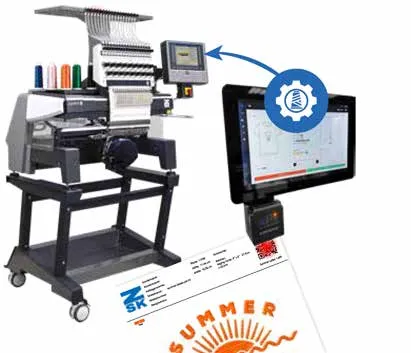
ZSK closes the loop between plan and reality. The production planner in ZSK TERMINAL imports orders, assigns them to machines by capacity, hoop, number of heads and thread colours and sends them to the tablet at the machine. The machines report status, stitches, thread breaks and operators to MY.ZSK 4.0 via the PoolBox. Real run times then feed better plans and prices.
What does the ZSK production planner do for you?
Machines re-threaded several times a day and threads changed again and again eat your margin. Structured planning groups suitable jobs per machine.
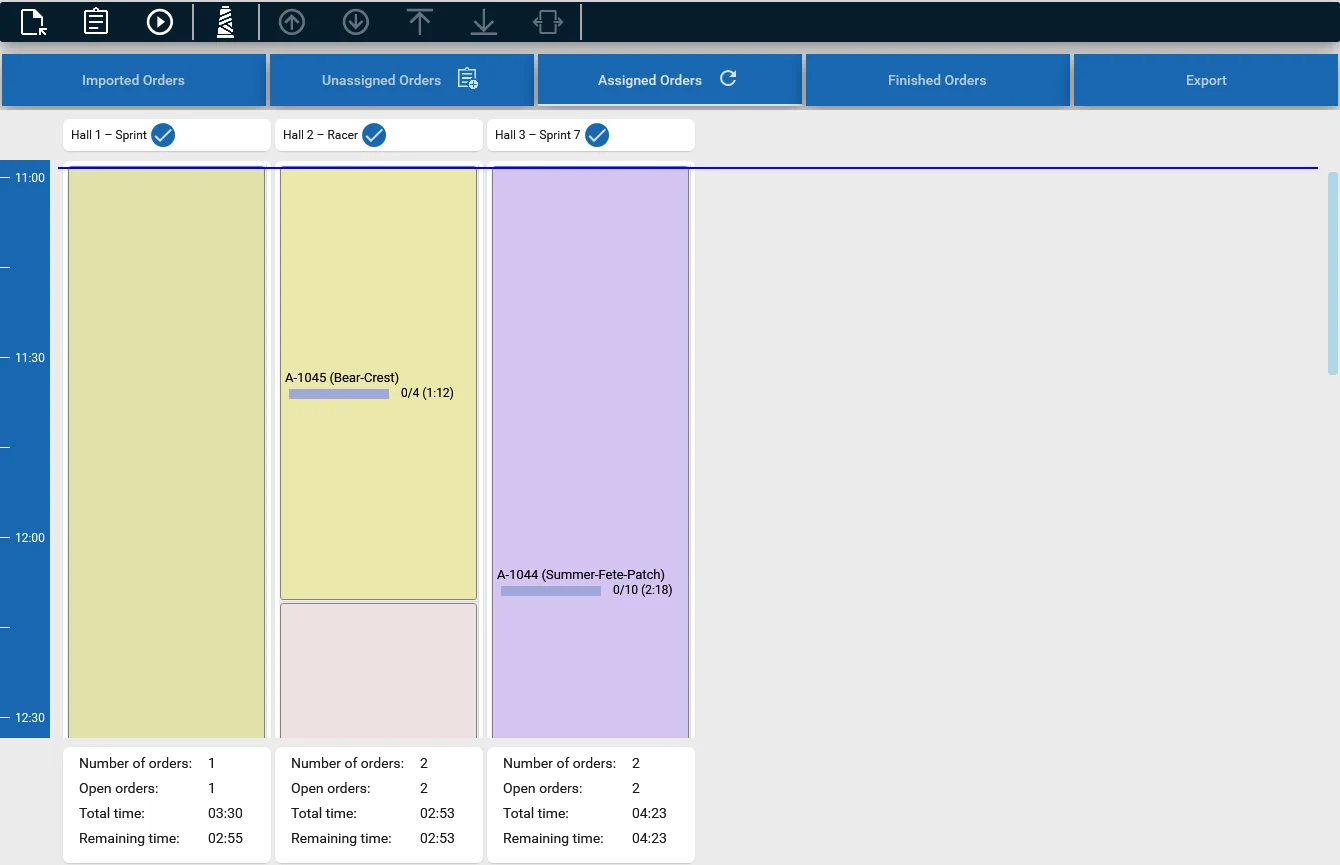
By order size, embroidery type (tubular, cap, border), number of heads and thread colours – with remaining times and shifts.
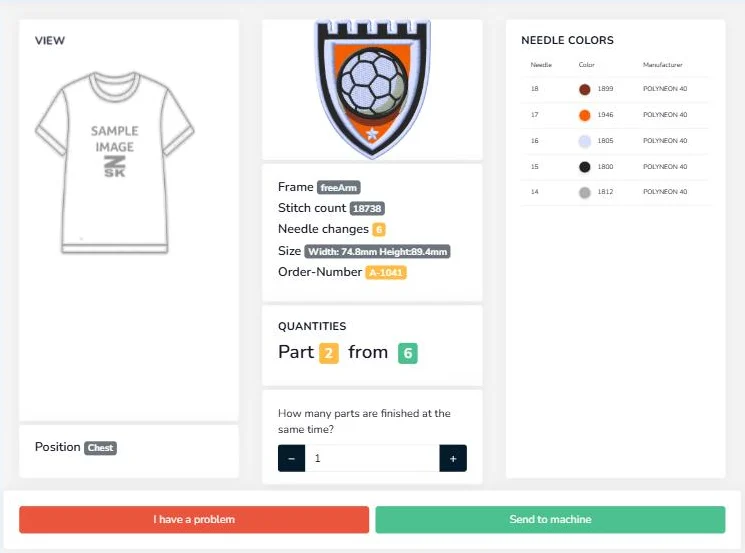
Shows the next job; one tap sends it to the machine, finished parts report straight back to the plan.
Excel, CSV or JSON – job data, sub-orders, stitch times, quantities, garments, frames and positions.
What does MY.ZSK show you about your production?
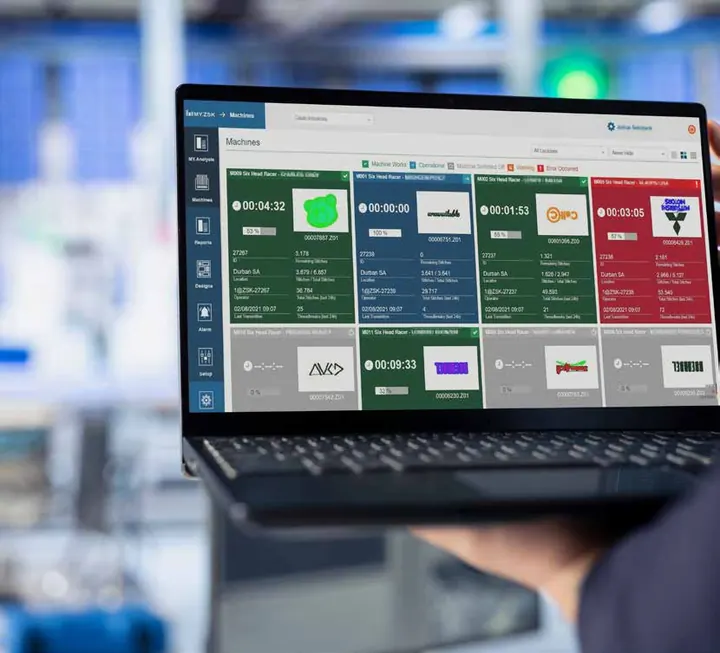
Machine 7 is running, everything looks normal – yet its thread-break rate has been creeping up for days. Barely noticeable on the shop floor, clearly visible in the data. MY.ZSK 4.0 turns such gradual changes into a basis for decisions: schedule maintenance before it becomes downtime, give the new order to the machine that runs similar jobs best.
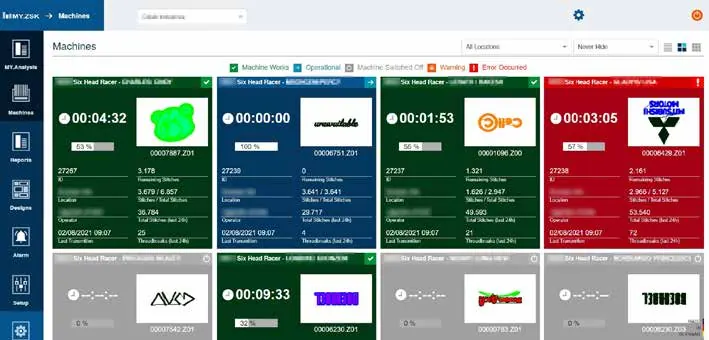
- Live: status dashboard for all machines, order progress, e-mail alerts on events you define
- Analysis: utilisation (OEE) per machine, thread breaks by design, machine, head and needle, design evaluations with real run times
- Comparison: operator and daily summaries, shift and site comparisons, sensor and RFID data
From order to analysis – how does the loop close?
Each step feeds the next; nothing is typed twice.
- 01 IMPORT
Orders from ERP, shop or Excel
- 02 PLAN
Automatic assignment and thread lists
- 03 SEND
Tablet, network push or barcode
- 04 STITCH
On the SPRINT or RACER
- 05 RECORD
PoolBox DataCollector feeds MY.ZSK
- 06 IMPROVE
Real run times for plans, prices and maintenance
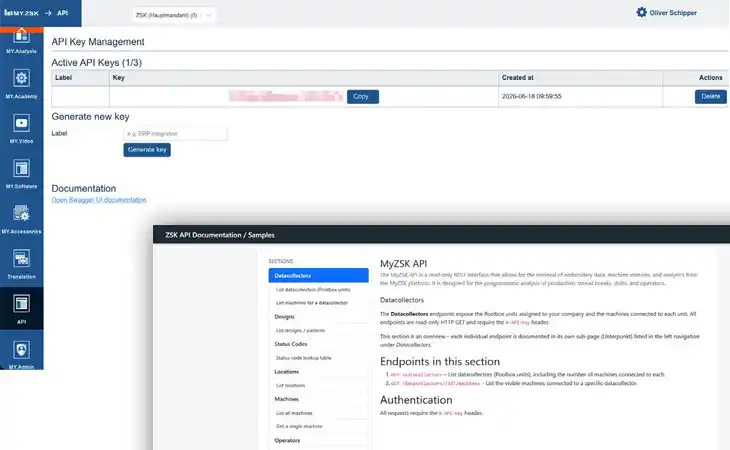
Your machine data in your own hub.
Ready-made reports not enough? The optional MY.ZSK API is read-only and secured with your own key (X-API-Key). Build a shop-floor monitor, a needle-and-hook radar for service, an operator app with RFID login or prices from real run times. On StitchTwin you find a demo factory with 28 machines, nine hub examples and a costing calculator.
How many machines can you plan?
The production planner is part of ZSK TERMINAL – choose the edition that fits your machine park.
Production planning for up to 5 machines, queue and machine matching, maintenance records, live PoolBox.
Adds 20 machines to the planning.
Adds 50 machines to the planning.
ZSK workflow solutions integrate with ERP and CRM; full performance with ZSK machines and .z00.
Go deeper
See where your production loses hours.
Book a live demo of the production planner and MY.ZSK – with your machine park in mind. Our software team: software@zsk.de, +49 2151 444 0.
Questions about planning and machine data
Short answers for production managers, owners and IT.
What does ZSK production planning do?
It gives you a transparent overview of every order – status, machine assignment, thread set-up, frame and schedule – and distributes jobs automatically by order size, embroidery type (tubular, cap, border), number of heads and available thread colours. Production times are calculated from stitch counts per hour. A tablet at each machine shows the next job and reports completion back to the plan.
How do orders get into the production planner?
By import from Excel, CSV or JSON, so ERP and shop systems can hand over orders without double entry. Job data, sub-orders, stitch times, quantities, garment types, frames and embroidery positions are transferred, scheduled and allocated automatically. A daily thread list per machine can be exported to Excel, so each machine can ideally be threaded once a day.
What is MY.ZSK 4.0?
MY.ZSK is ZSK's software for collecting, archiving and analysing machine data from embroidery machines. It shows in real time what every connected machine is doing – status, stitches, thread breaks, utilisation and operator – and keeps the full history, so you see where production loses hours. It runs in the MY.ZSK Cloud or on-premise and uses OPC UA for Industry 4.0 environments.
What do I need to collect machine data?
ZSK embroidery machines and a PoolBox in your hall. The DataCollector on the PoolBox gathers the data of all connected machines, including RFID and sensor data, and sends it encrypted to the MY.ZSK Cloud or into your own network. Nobody has to keep lists. A ZSK engineer sets up the system together with you.
How do I measure the utilisation (OEE) of my embroidery machines?
MY.ZSK records for each machine how long it is switched on and how long it is actually embroidering. That gives the run-time ratio per machine, shift, hall and site. Lost time is shown by cause – thread breaks, colour changes, bobbin changes or waiting for the next design – and thread breaks can be analysed by design, machine, head and needle.
Can I use the machine data in my own systems?
Yes, with the optional MY.ZSK API: a read-only REST interface secured with your own key. It delivers machine status, production summaries and thread-break statistics for your ERP, costing, shop-floor monitors or an operator app – it cannot control any machine. StitchTwin shows an interactive demo factory with 28 machines and sample dashboards. Since 12 September 2025 the EU Data Act gives users a right to access their machine data.
Technical data: production planner and MY.ZSK
| Item | Detail |
|---|---|
| Order import | Excel, CSV or JSON (planner); Production Board import via Excel or JSON (API) |
| Assignment criteria | Capacity, order size, embroidery type (tubular, cap, border), hoop, number of heads, thread cones |
| Exports | Daily thread list per machine (Excel); maintenance records XLSX, CSV, JSON |
| At the machine | Web-based terminal on a tablet: next job, live status, error messages, completion feedback (Factory edition with PoolBox) |
| Machine data | Status, design, stitches, thread breaks, operator, RFID and sensor data (e.g. temperature, humidity, air pressure) |
| Data collection | DataCollector on the PoolBox, up to 50 machines per PoolBox |
| Operation | MY.ZSK Cloud (encrypted transfer, worldwide access, several sites) or on-premise (data stays in your network); OPC UA |
| MY.ZSK API | Optional, REST/JSON, read-only, own key (X-API-Key); documentation at embroidery-api.com |
Scope depends on edition and licence. Subject to change.