


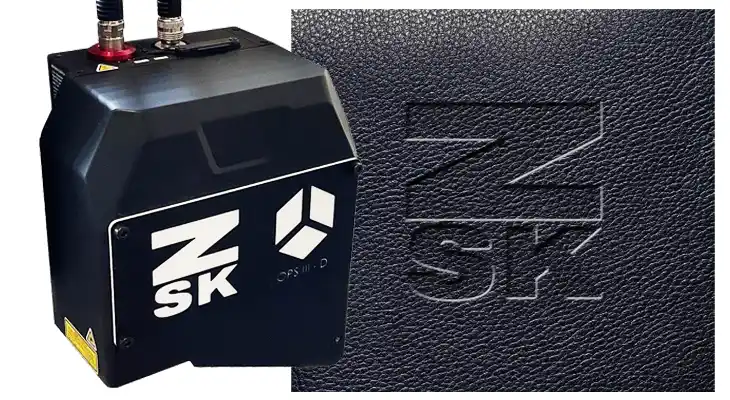
OPS 3: 3D-guided embroidery on embossed leather and weld lines
ZSK OPS 3 enables intelligent 3D-guided embroidery for premium interiors. A line-scan camera reads the height of the surface – and places stitches exactly around embossed logos, weld lines and prints.
What is OPS 3?
OPS 3 (Optical Positioning System III) is ZSK's camera system for 3D-guided embroidery. While OPS 2 evaluates 2D contrast, OPS 3 scans the surface topography with a line-scan sensor during movement. It detects height differences – embossing, weld lines, prints and perforation – and aligns the embroidery design to them with a positioning accuracy of up to 0.1 mm.
What does OPS 3 do?
Six functions from the ZSK catalog and CARL magazine – each solving a real problem in premium interior production.
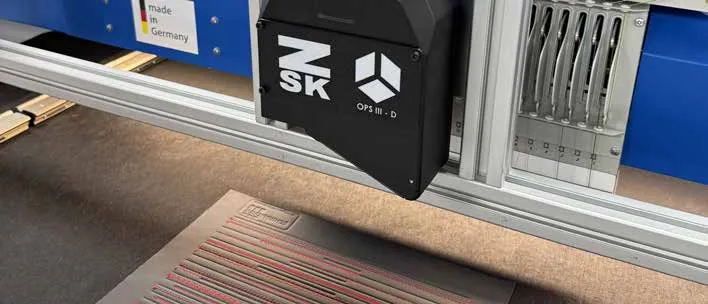
A line-scan sensor instead of static photos – for high-speed accuracy.
Places stitches around embossed logos and weld lines through material depth.
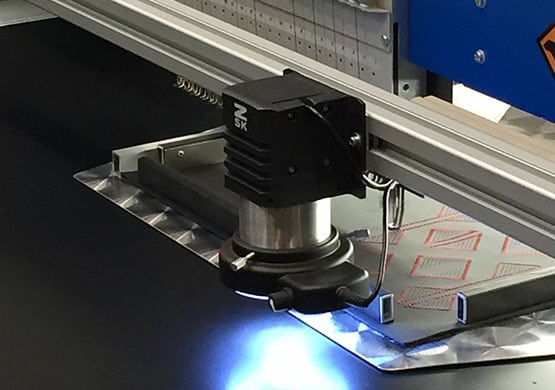
Scans the physical outer edges of the cut part.
Eliminate error sources caused by fibre dust on challenging fabrics.
Corrects material distortion after lamination and cutting tolerances.
Scan to select the design – minimal set-up time, fewer operator errors.
Which camera system do you need?
The primary evolution from OPS 2 to OPS 3 lies in how the machine "sees" the material.
- Vision: line-scan camera, scans topography dynamically
- Detection: height and structure recognition
- Capability: perforation + embossing + welding, also prints
- Design limits: aligns embroidery to embossed logos, welded lines or prints – including tone-on-tone
- Edges: advanced edge detection for exact back-tack positioning
- Vision: static black-and-white photo with filters
- Detection: contrast recognition, light vs. dark
- Capability: perforation – excellent for standard perforated leather
- Design limits: blind to height, e.g. tone-on-tone embossing
- Edges: positioning based on holes; edge detection in OPS 2 Advanced. OPS 2 →
Comparison based on the ZSK knowledge base 05/2026. Which system fits your part, we check in a sample run.
Where does 3D-guided embroidery pay off?
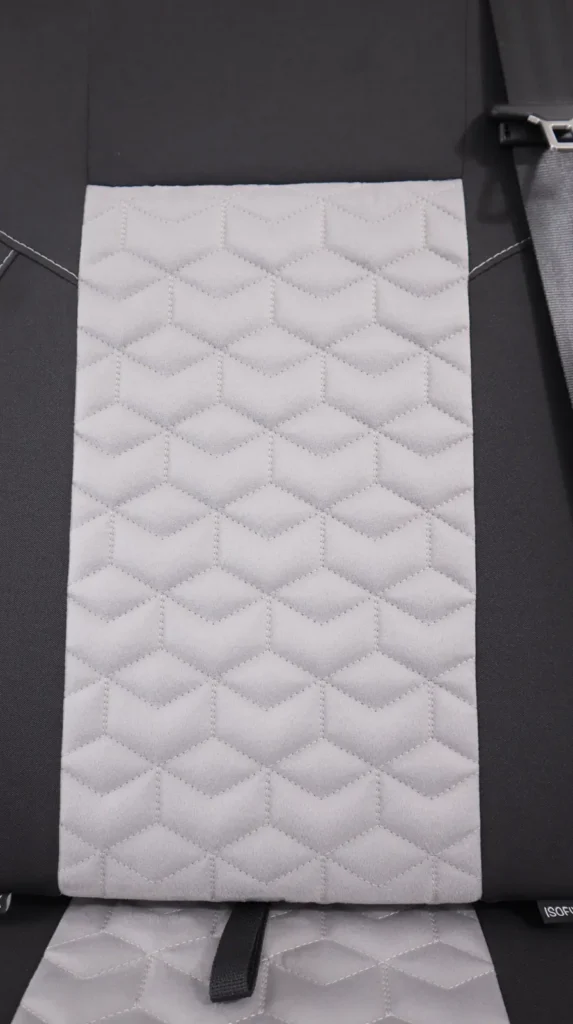
For premium car seats this means exact placement despite material stretch or shrinkage, no manual set-up of positions and less waste of valuable leather.
- Embossed logos and patterns on seat centre panels and headrests
- Weld lines on artificial leather and technical textiles
- Printed effects on leather and fabric
- Perforated leather – including combinations of perforation and embossing
More on camera systems and automotive
Embossed, welded, printed? Show us your part.
Send us a cut part with embossing or weld lines – we show you how OPS 3 places the embroidery around it.
Questions about OPS 3
Short answers for interior engineers and quality managers. Missing your question? Our camera specialists answer personally.
What is OPS 3?
OPS 3 is the ZSK Optical Positioning System III. Instead of a static black-and-white photo it uses a dynamic line-scan sensor that captures the surface topography during movement. It detects height differences in the material and aligns embroidery to embossed logos, weld lines, prints and perforation, reaching a positioning accuracy of up to 0.1 mm.
What is the difference between OPS 2 and OPS 3?
OPS 2 relies on 2D contrast between light and dark, which works very well for standard perforated leather but cannot see tone-on-tone embossing. OPS 3 recognises height and structure, so it handles perforation, embossing and welding, and adds advanced edge detection that measures the cut-part edges for exact back-tack positioning.
Which ZSK machines are compatible with OPS 3?
According to ZSK, OPS 3 is compatible with all ZSK machines equipped with MCP 35 electronics. Which configuration suits your cut parts, frames and cycle times is best clarified in a sample run with your material at ZSK in Krefeld.
How does OPS 3 deal with Alcantara and suede?
Fibre dust on materials such as Alcantara and suede can disturb camera detection. OPS 3 has specialised filters for Alcantara, suede and Dinamica that eliminate these error sources, so the system can recognise structures and edges on these premium materials as well.
How does OPS 3 handle material distortion?
Lamination, cutting and stitching distort the cut part. OPS 3 scans the actual part and automatically corrects material distortion after lamination and cutting tolerances before stitching, so the embroidery follows the real position of the embossing or weld line rather than the ideal CAD geometry.
What is Click-to-Stitch?
Click-to-Stitch is the QR code workflow of OPS 3: the operator scans the code, and the matching design is selected and loaded. This minimises set-up time and avoids operator errors such as loading the wrong design for a cut part.
Where was OPS 3 presented?
OPS 3 had its world premiere at Texprocess in Frankfurt (21–24 April 2026) and was then shown at the Automotive Interiors Expo in Stuttgart (23–25 June 2026) with a focus on automotive interior applications. A video about OPS 3 is available on the ZSK YouTube channel.
Technical data: OPS 3
| Feature | OPS 3 |
|---|---|
| Sensor | dynamic line-scan sensor, captures surfaces during movement |
| Detection | 3D height and structure recognition |
| Structures | perforation, embossing, welding, prints |
| Edge detection | scans physical outer edges for back-tacks at the border |
| Material filters | Alcantara, suede, Dinamica |
| Distortion | automatic correction after lamination and of cutting tolerances |
| Workflow | Click-to-Stitch via QR code |
| Positioning accuracy | up to 0.1 mm |
| Compatibility | ZSK machines with MCP 35 electronics |
Subject to change. Sources: ZSK general catalog 06/2026, CARL 04/2026, knowledge base 05/2026.