


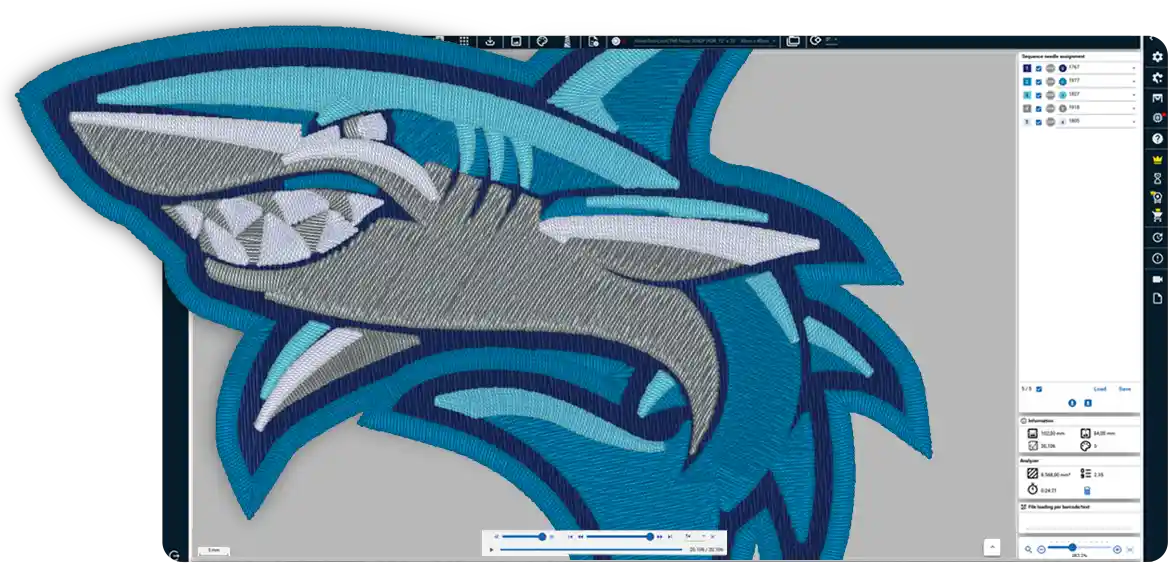
Embroidery file handling: any format in, the right thread on every needle
Files arrive from customers, agencies and your own digitizers – in every format. ZSK TERMINAL converts them, checks hoop and 3D height, calculates the price and maps the colours to the cones already on each machine.
What does file handling in embroidery involve?
Between the finished design and the running machine lie conversion, checking, colour assignment, costing and filing. ZSK TERMINAL does these steps in one program: it reads 42 embroidery formats, exports DST, PES, DSZ or ZSK's .z00, checks hoop size and 3D height, maps design colours to the thread cones on each machine and calculates the job price from the file.
What happens to a file before it reaches the machine?
Errors caught on screen cost nothing. Errors caught at the machine cost material and set-up time.
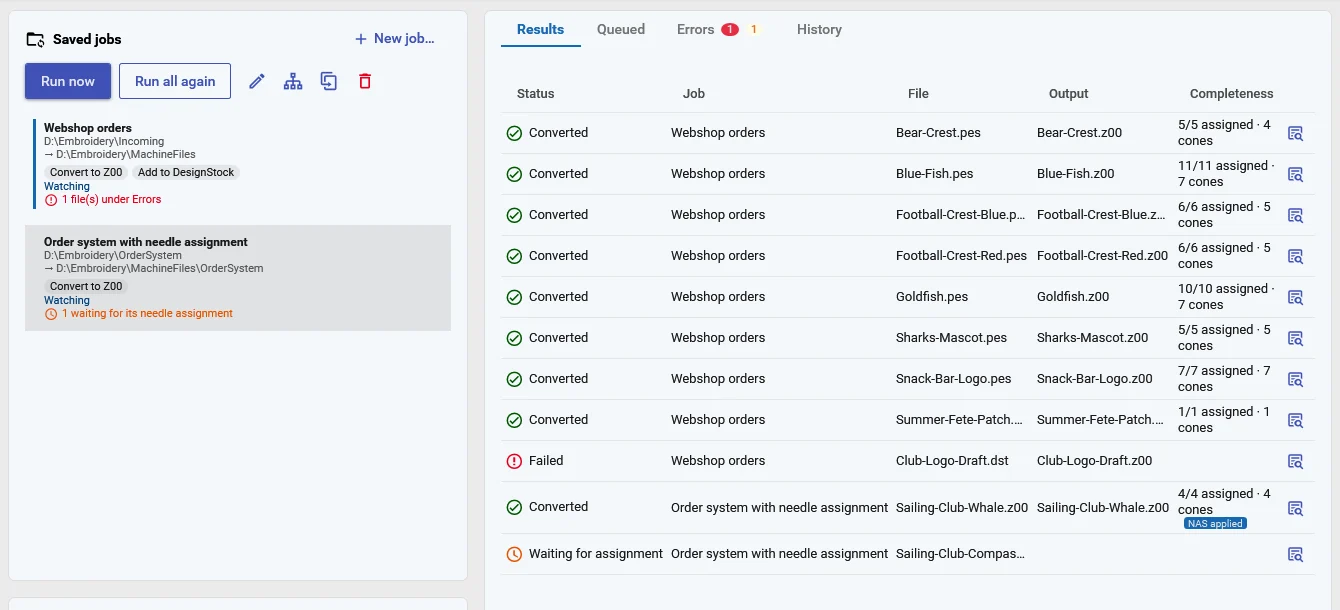
Every new file from mail or web shop is converted to Z00, DST, PES or DSZ, filed and given a preview. Failures land in an error list.
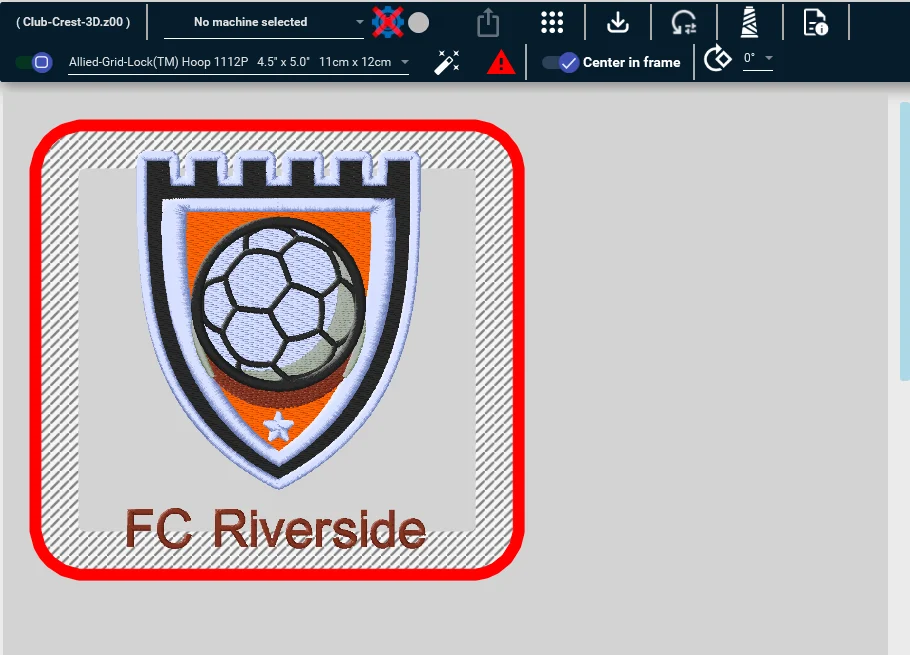
One click picks the smallest of your hoops the design fits into – two cap frames included.
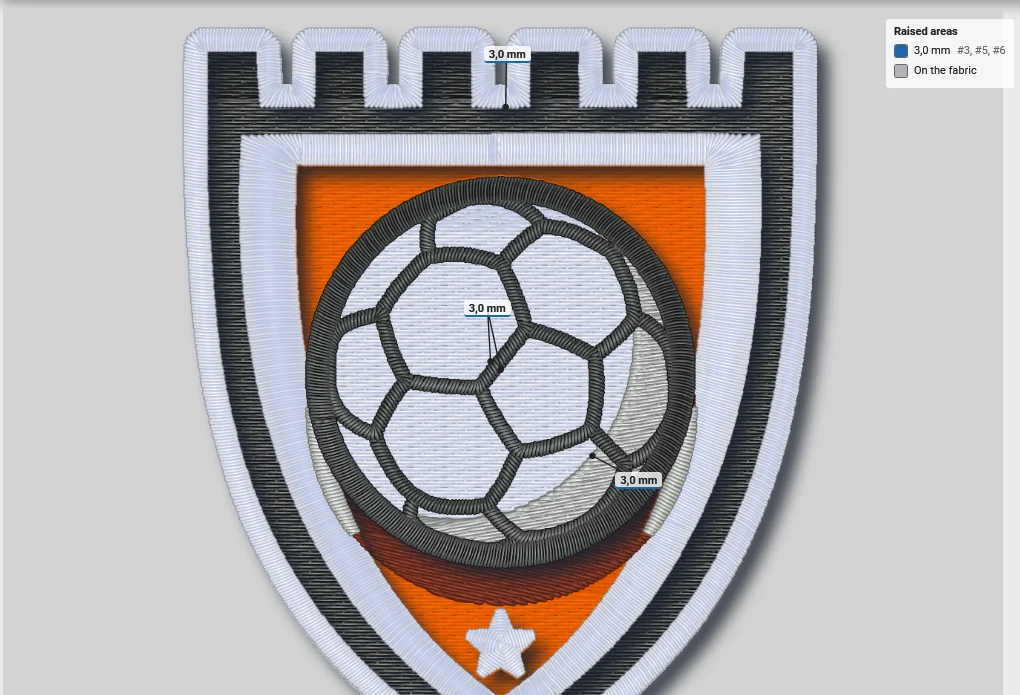
Raised areas with their height; jumps, trims and colour changes along the real needle path.
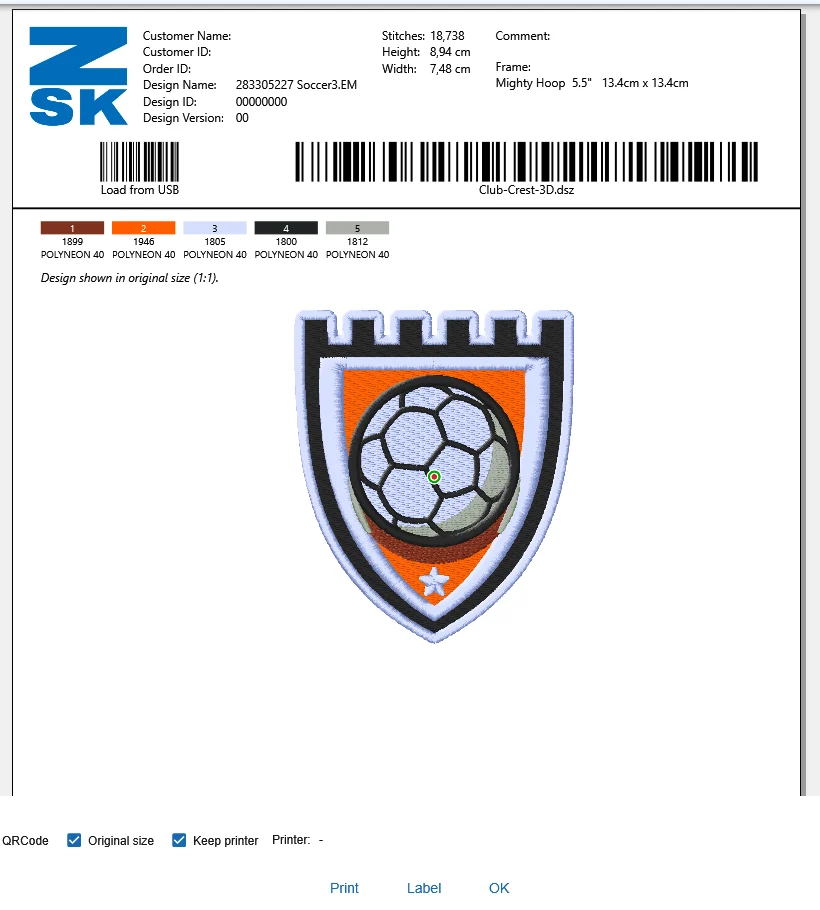
Material, run time, labour and overheads with your machine hourly rate; quote as PDF or XLSX, order sheet with barcode.
The right colour on every needle – on every machine.
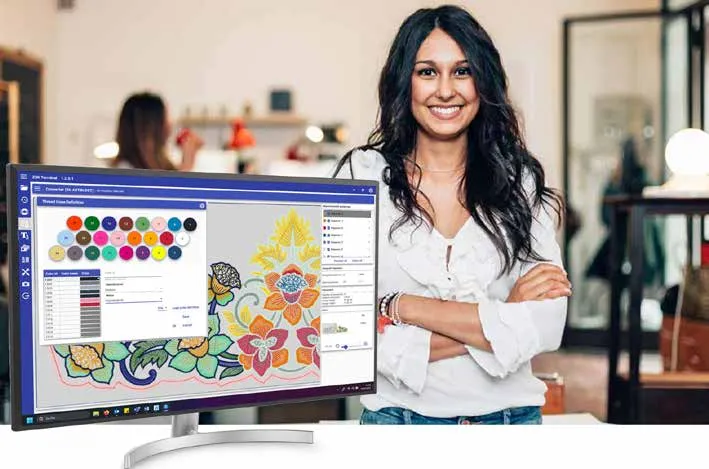
Each machine in your hall is threaded differently. When you load a design, ZSK TERMINAL knows which colours it needs and which colour sits on which needle of that machine – and maps the two automatically, by nearest colour or via your cross-reference table when you switch thread brand. Thread cones can be scanned by barcode before they go on the needle, and the .z00 file updates the design colours to the machine set-up.
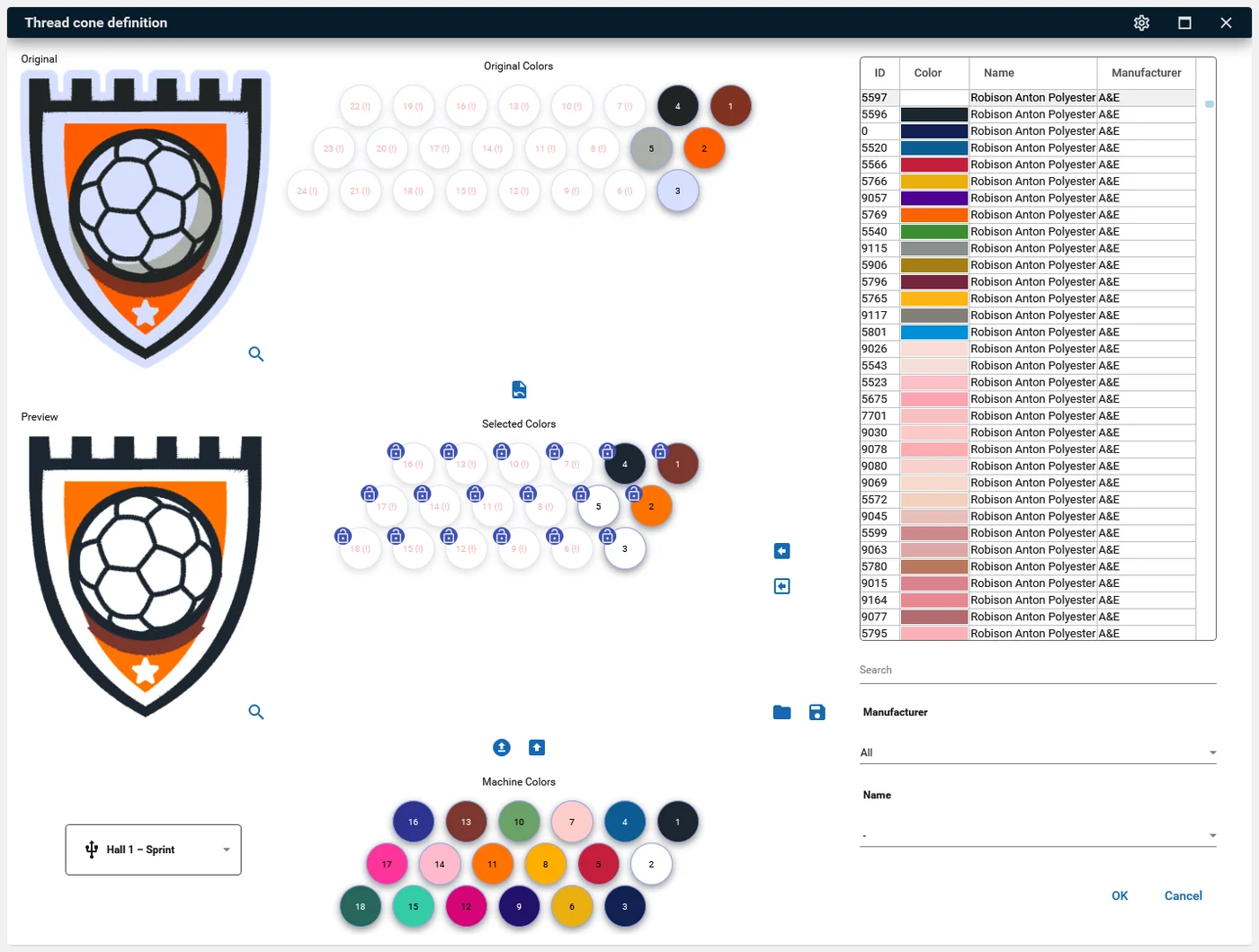
Why .z00 saves set-up time.
The ZSK transport code .z00 carries everything the machine needs besides the stitches. Convert DST files to .z00 once in ZSK TERMINAL, and the design information is there for every repeat order.
- Needle and thread information – automatic colour assignment
- Stitch information, e.g. minimum and maximum stitch length
- Name, date, coloured preview – searchable in the design library
- Commands for accessories such as the twin sequin device; W- and K-head settings
- Positioning data from the EPS HoopStation
ZSK example: a .dst file takes about 20 s longer to load than a .z00 file.
Your digitizing software makes the design. TERMINAL turns it into a job.
Built by the manufacturer of your embroidery machine.
From EPCwin, BasePac, Wilcom, Pulse or your customer – 42 formats, needle assignment kept.
Hoops, thread cones, number of heads, PoolBox, AirBroidery and T8 software.
New software for T8-1, T8-2 and T8-3 comes exclusively through TERMINAL – even in Free.
The Analyzer shows stitches per mm² – fewer stitches, fewer thread breaks, higher speed.
More on files and software
Every file. Every machine. The right colour.
Start with TERMINAL Free today or bring your own files to a demo – we show you conversion, thread cone matching and costing live.
Questions about embroidery files and thread colours
Short answers for embroidery businesses with mixed file sources.
How do I convert PES to DST – or DST to .z00?
With ZSK TERMINAL. It reads 42 embroidery formats and exports DST, PES, DSZ and Z00. You can convert whole folders in one pass, and subfolders are kept; folder automation converts every new file as soon as it arrives and creates the preview image. The free edition opens TC/Z00, ZSK, DST, DSZ, PES, TBF and PAT; all other formats, export and folder conversion come with Studio.
What is thread cone matching?
Every machine is threaded differently – red on needle 4 here, on needle 1 there. When you load a design, ZSK TERMINAL knows which colours the design needs and which colour sits on which needle of that specific machine, and maps the two automatically – by nearest colour or through your cross-reference table when you change thread brand. No manual cross-checking, no wrong colours.
Why use the .z00 format instead of DST?
DST only holds stitches and colour changes. The ZSK transport code .z00 also stores needle and thread information for automatic colour assignment, stitch information such as minimum and maximum stitch length, and data such as name, date and a coloured preview, plus commands for accessories like the twin sequin device and W- or K-head settings. In ZSK's example a DST file takes about 20 seconds longer to load.
Can ZSK TERMINAL digitize designs?
No. TERMINAL does not digitize designs from scratch – that is what EPCwin and BasePac are for. TERMINAL works with finished embroidery files, including files from Wilcom, Pulse or other programs, keeps the needle assignment and creates lettering and photo designs (PhotoStitch) itself. It is the step between your digitizing software and the machine.
How do I know a design will run well before stitching?
TERMINAL checks it on screen: one click picks the smallest of your hoops the design fits into (two cap frames included), the 3D thread view shows raised puff areas with their height in millimetres and the real needle path with jumps, trims and colour changes, and the Analyzer calculates stitch density in stitches per mm². Excessive density causes fabric distortion, needle breakage and higher costs.
What does ZSK TERMINAL cost?
The Free edition costs nothing after one-off registration in the ZSK License Hub, and anyone buying a ZSK embroidery machine receives TERMINAL as a permanent addition. Studio, Factory and Technology are monthly subscriptions with a 30-day free trial; current prices are listed on the ZSK TERMINAL page and can be booked in the License Hub.
Technical data: ZSK TERMINAL editions and file functions
| Edition | File and workflow functions |
|---|---|
| Free | Open, view and send designs; formats TC/Z00, ZSK, DST, DSZ, PES, TBF, PAT; design stock and lettering; PhotoStitch up to 24 colours; notice and download of new T8 software |
| Studio | All 42 formats, export DST/PES/DSZ; full preview, 3D and hoop selection; automatic colour matching; job costing and quotes; folder automation |
| Factory | Everything in Studio; production planning for up to 5 machines; queue and machine matching; maintenance records, projects, live PoolBox |
| Technology | For technical embroidery; currently as Factory, technical functions in coming versions |
| System | Windows 10/11; 17 languages (Arabic and Hebrew right-to-left); activation online or by licence file |
Prices and booking: see the ZSK TERMINAL page and the ZSK License Hub. Subject to change.