


The .z00 file format and embroidery file formats explained
Why ZSK machines use their own file format, what .z00 stores that .dst does not – and how to convert your designs.
What is a .z00 file?
A .z00 file is the ZSK transport code: the machine file format of ZSK embroidery machines. Unlike a plain stitch file such as .dst, it stores stitches together with needle and thread colour assignments, machine commands, device and head parameters and searchable design information.
Machine files vs. working files
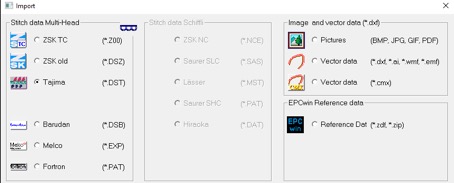
Embroidery software works with two kinds of files: editable working files of the digitising program, and machine files that tell the machine where to stitch. Generic machine formats such as .dst mainly contain stitch coordinates, jumps, trims and colour stops – the operator still has to assign colours to needles and set speeds. The .z00 transport code is tailored to ZSK machines and carries this information inside the file.
What does a .z00 file store?
Output from BasePac in Z00 format transfers stitch data, colour changes, needle assignments, parameters and application stops, so the machine processes the design exactly as defined.
Automatic colour assignment; thread colours update to match the machine setup.
E.g. minimum and maximum stitch length, design size, density and stitch count.
Name, date, coloured preview.
For accessories such as the twin sequin device, application stops, head selection.
Settings for W-head and K-head can be saved in each design and even changed within a design; the 3D loop height is programmable in .z00.
.z00 vs. .dst: what is the practical difference?
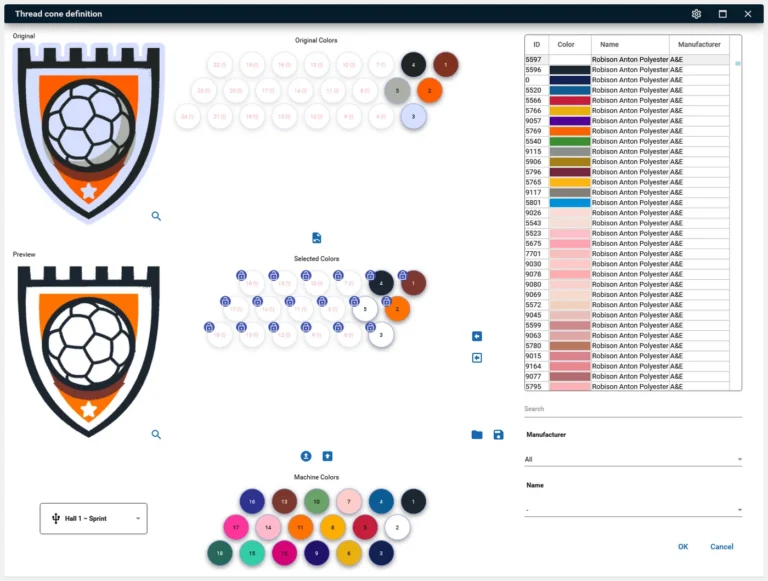
According to the ZSK knowledge base, loading a .dst file takes about 20 seconds longer than loading a .z00 file. The larger saving is in setup: with .dst, colours must be assigned to needles manually for each job; with .z00 and thread cone matching, designs load with the correct colours. Converting .dst files to .z00 keeps the design information for later repeat orders.
Which software creates and converts .z00 files?
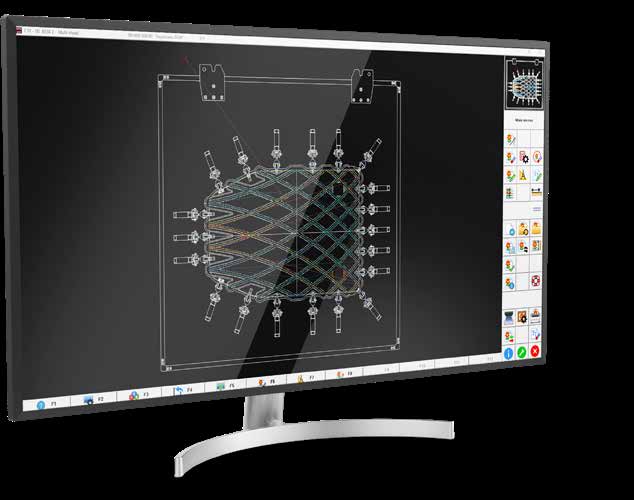
In technical embroidery (TFP), the workflow runs from 3D CAD (.dxf/.stl) via CAESA TFP (.dxf) to EPCwin, which writes the .z00 machine file.
And BasePac – ZSK digitising software, export .z00.
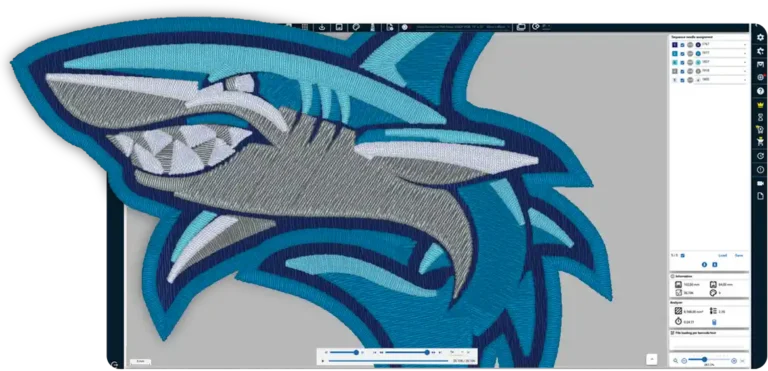
– browser-based, exports .z00, DST and SVG.
– the converter loads .dst files, assigns colours to sections and converts DST to Z00 with all ZSK-specific information in one step; it can also change colours in existing .z00 files.
– moves a .z00 design in the frame and saves positioning data in a new .z00 file.
– lettering and design previews using .z00 files in workflows and web shops.
What else uses the .z00 data?
Because the file is searchable, ZSK TERMINAL can find designs quickly, show a 3D view in design colours, calculate stitch density and estimate costs. Thread cones are scanned by barcode before they are placed on a needle, and production planning assigns jobs based on the thread colours stored in the files. Monogram functions in EPCwin, BasePac, TERMINAL and the T8 controller build on the same data.
When does it matter for your production?
The file format matters as soon as you run repeat orders, several machines or several operators. Every manual colour assignment is a chance to load the wrong colour; every lost setting has to be found again. If your designs arrive as .dst from customers or digitisers, convert them to .z00 once and keep that file as the production master.
Related ZSK machines, devices and software
Continue reading
Questions about .z00 files
The ZSK transport code in brief.
What is a .z00 file?
A .z00 file is the ZSK transport code, the machine file format for ZSK embroidery machines. Besides the stitches it stores needle and thread colour information, machine commands for devices, head parameters for W- and K-heads, stitch data such as density and stitch count, and searchable data such as name, date and a coloured preview.
What is the difference between .z00 and .dst?
A .dst file mainly contains stitch coordinates and colour stops; colours must be assigned to needles at the machine. A .z00 file additionally stores colour assignments, machine and device commands and design information. According to ZSK, a .dst also takes about 20 seconds longer to load than a .z00.
How do I convert a DST file to Z00?
The converter in ZSK TERMINAL loads a .dst file, lets you assign colours to its sections and converts it into a .z00 file with all ZSK-specific information in one step. ZSK TERMINAL is supplied free of charge with new ZSK machines; EPCwin and BasePac can also export .z00.
Which programs can open or create .z00 files?
ZSK's digitising software EPCwin and BasePac, the browser-based Nodety, ZSK TERMINAL and the EPS HoopStation work with .z00 files. Nodety exports .z00, DST and SVG. The GiS API uses .z00 stitch files for lettering and design previews in web shops and workflows.
Can sequin or W-head settings be stored in the embroidery file?
Yes. In a .z00 file, commands for accessories such as twin sequin devices can be stored, and W-head and K-head settings can be saved per design and even changed within a design. The loop height of the ZSK 3D loop device is also programmed in the .z00 file.
Need an answer for your application?
Send us your designs, materials and order mix – a ZSK engineer will recommend the right head type, machine concept and options.