


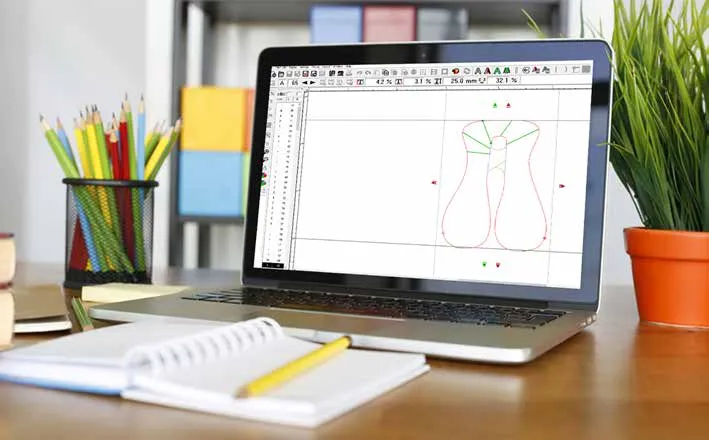
Embroidery digitizing software for industrial machines: how to choose
Digitizing software turns logos, images and lettering into stitch files your machine can sew. For industrial production it also has to set names, check third-party files and pass machine commands to the embroidery head. Here is what to look for – and where BasePac 10 from ZSK fits.
What is embroidery digitizing software?
Embroidery machines cannot read images or vector drawings – digitizing software translates them into stitches with direction, length, density and sequence, and saves the result as a stitch file such as .dst or ZSK .z00. BasePac 10 is the digitizing and design software from ZSK, developed with GiS: it digitizes logos, sets lettering and team names, edits and converts existing embroidery files and writes machine commands for ZSK machines – up to technical embroidery.
What must digitizing software do in an embroidery shop?
Six jobs come up every day. Check each one before you buy – the BasePac answer is below each card.
Turn a customer logo into clean satin, fill and running stitches with the right underlay and pull compensation.
BasePac Premium and up: digitizing tools per object, auto-vectorizing of images, vector import and the auto-digitizer ACE.Names, monograms and team lists are daily business – they must be fast and clean, even in small letters.
All editions: 100 fonts, TrueType conversion, font editor, name lists from text files (Quicktext), special settings for small lettering.Customers send files from many systems. You need to open them, fix them stitch by stitch and save them for your machine.
All editions: stitch editor, smart scaling, conversion of .dst and .z00, import and export of common stitch formats.A few minutes on screen protect the garment at the machine: sequence, size, stitches, trims and colours.
All editions: stitch simulation and 3D view, needle sequence, statistics for stitch count and production cost.Multi-head and special devices need commands at the right point of the design – otherwise the operator has to stop and switch by hand.
BasePac: head selection, commands for combination machines, twin sequins, borer, K-head moss and chain, W-head taping and cording, speed per design section.The right file has to reach the right machine – with the information the operator needs.
BasePac: printed worksheets with barcode, design catalogue, batch export to the network; with ZSK TERMINAL the design becomes a job.Which file formats and machine brands does BasePac support?
BasePac opens and saves the common embroidery formats and converts its working files for machines of many brands – so you can digitize once and embroider on mixed machine parks.
| Topic | BasePac 10 |
|---|---|
| Native ZSK format | .z00 – stores needle and thread information, stitch settings, design data and machine commands |
| Stitch file import | .z00, .dst, .dsz, .exp, .pat and other common formats |
| Stitch file export | .dst, .dsz, .tap, .exp, .pat and other common formats; batch export to a folder or the network |
| Machine brands | Conversion of BasePac working files into embroidery formats for ZSK, Tajima, Barudan, Melco, Happy, Toyota, Juki and other machines |
| Images and vectors | Load images in all editions; auto-vectorizing, reading of standard vector formats and .dxf export from Premium |
| Schiffli | Reading and exporting Schiffli stitch files in the Technology edition |
| Thread charts | Colour palettes of the common thread manufacturers, plus your own tables |
Why .z00? A .dst file only carries stitches. A .z00 file also stores colours and needle assignment, so the machine sets up automatically, and it loads faster than a .dst file. The .z00 format explained
Which BasePac edition do you need?
Buy only what you need and upgrade any time – every edition includes everything from the one before.
Edit · personalise · organise. For shops that sew and personalise purchased designs: 100 fonts, own fonts, file editing, machine commands, printing and statistics.
Create · digitize · auto-generate. Digitize your own logos with satin and fill, auto-digitizer ACE, underlay, macros, vector import and drawing tools.
Creative effects. Stencil fills, wavy stitch direction, interlocking areas for shading, sequins on lines and areas.
For technical embroidery. Split lines, extended outline types, convert areas to running stitch, read and write Schiffli data.
BasePac, EPCwin, Wilcom or Hatch – which software fits whom?
There is no single best digitizing software – there is the best fit for your machines, your team and your orders. Designs move between all systems as embroidery files such as .dst.
| Your situation | Good fit | Why |
|---|---|---|
| Embroidery shop with ZSK machines: logos, names, file checks | BasePac 10 (Base to Professional) | From the manufacturer of the machine; native .z00 with machine commands; team names with head selection |
| Large digitizing department, fashion, home textiles, Schiffli | EPCwin | Modular high-end digitizing for multi-head and Schiffli, autorouting, combination designs for K, W and F heads |
| Technical embroidery with fibres and wires | BasePac Technology, EPCwin, CarbonPath for TFP | Line splitting, running-stitch conversion and commands for W-head and technical machines |
| Team already trained on Wilcom EmbroideryStudio | Keep it, or switch to BasePac with targeted training | Wilcom EmbroideryStudio is a widely used commercial suite; files reach ZSK machines as .dst. ZSK trains teams switching to BasePac |
| Home and hobby embroidery on domestic machines | Consumer packages such as Hatch Embroidery | Aimed at home and small-business users; for industrial ZSK production BasePac Base is the entry |
| Personalisation in an online shop, no manual punching | ZSK Web API and ACE | Names and logos from the shop become stitch files with preview automatically |
| Many variants of one design | Nodety | Parametric design-to-production, writes ZSK .z00 directly |
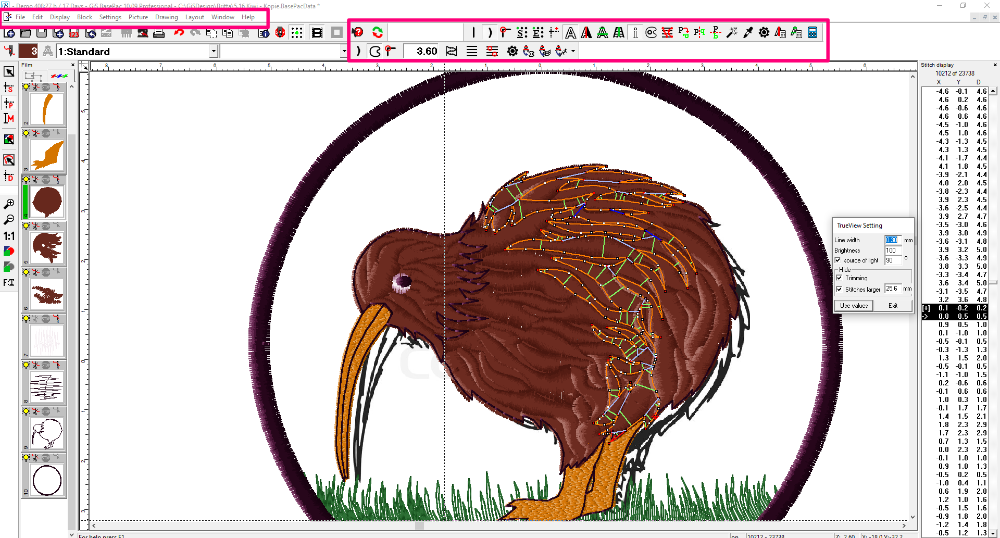
- Color-Object List → Film
- Object Properties → Parameters
- Stitch Player → order of embroidery
- Existing designs come over as embroidery files, for example .dst
- Targeted switch-over training: software@zsk.de
- Both are digitizing software from ZSK
- BasePac: easy to learn, from editing to technical embroidery
- EPCwin: high-end for large digitizing departments and Schiffli
- Full feature comparison →
How does the design get from BasePac to the machine?
BasePac is the start of the workflow. ZSK connects software, machines and data from one manufacturer.
- Network connection between BasePac and ZSK machines, batch export
- AirBroidery: designs via Wi-Fi from PC, tablet or phone
- ZSK TERMINAL: check files, assign cones, calculate, plan and send – TERMINAL Free costs nothing
- MY.ZSK: live production data and thread-break analysis
- Workflow solutions: barcode production, team names, shop to embroidery
How do you learn digitizing with BasePac?
Step-by-step video lessons of about three minutes, 20 BasePac parameter sheets in German and English and a 66-page manual. Getting started is free. Start free on the Campus
Classroom training for beginners, experienced digitizers and teams switching from other software – at ZSK in Krefeld or with a local representative. Learning and support · book training
More about ZSK software
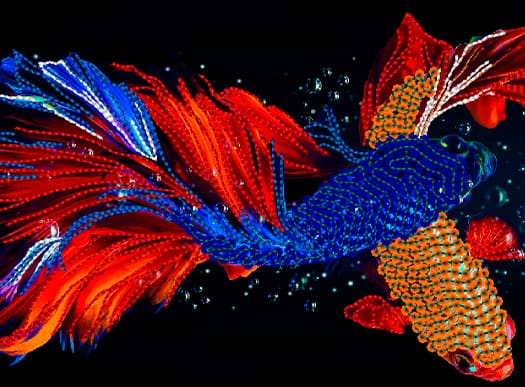
See BasePac with your own logo.
Send us a logo – we show you online how BasePac turns it into a stitch file and which edition fits your shop.
Questions about digitizing software
The questions embroiderers ask before choosing software.
What is the best embroidery digitizing software for industrial machines?
The best software matches your machines and orders. For ZSK machines, BasePac 10 from ZSK covers digitizing, lettering, team names, file conversion and machine commands, and writes the native .z00 format. EPCwin suits large digitizing departments and Schiffli work. Teams trained on Wilcom EmbroideryStudio can keep it and send .dst files, or switch to BasePac with ZSK training.
Does BasePac work with Tajima or Barudan files?
Yes. BasePac opens and saves common embroidery formats such as .dst, .dsz, .exp and .pat, and converts BasePac working files into formats for ZSK, Tajima, Barudan, Melco, Happy, Toyota, Juki and other machines. So you can digitize once and embroider on a mixed machine park. On ZSK machines, the native .z00 format additionally carries colours and machine commands.
What does embroidery digitizing software cost?
BasePac is sold in four editions – Base, Premium, Professional and Technology – each at a fixed net price listed on the BasePac page and in the ZSK online shop. You can start small and upgrade any time, because every edition includes everything from the one before. The licence runs on a USB dongle. Training is available separately.
Does BasePac have an auto-digitizer?
Yes. From the Premium edition, the auto-digitizer ACE turns an image or vector file into stitches: it cleans up the colours, creates outlines and chooses satin or fill. You then refine the result by hand and check it in the simulation. As a web service, ACE also converts PNG, JPG, BMP, SVG and AI files for online shops.
Can I switch from Wilcom to BasePac?
Yes. The terms differ but the logic is the same: the Color-Object List becomes the Film, Object Properties become Parameters, the Stitch Player becomes the order of embroidery. You bring existing designs over as embroidery files such as .dst. The ZSK Campus has a lesson on the switch, and ZSK offers targeted switch-over training for teams.
What is the difference between BasePac and EPCwin?
Both are digitizing software from ZSK. BasePac is easy to learn and scales in four editions from file editing to technical embroidery. EPCwin is the modular high-end solution for large digitizing departments in fashion, home textiles and Schiffli embroidery, with autorouting and combination designs for K, W and F heads.
Do I need digitizing software if I buy my designs?
You still need a way to check, adapt and personalise files. BasePac Base edits purchased designs stitch by stitch, adds names and monograms from 100 fonts, inserts ZSK machine commands and converts .dst into .z00. If you later want to digitize logos yourself, you upgrade to Premium without starting over.
Can I try BasePac before buying?
Yes. A demo version, the CodeMeter driver and guides are in the BasePac download area on zsk.de. The ZSK Campus lets you start learning BasePac for free, and the ZSK software team shows the software online with your own logo on request, so you see which edition fits before you buy.
Technical data: BasePac 10
| Property | BasePac 10 |
|---|---|
| Publisher | ZSK Stickmaschinen GmbH, developed with GiS Gesellschaft für Informatik und Steuerungstechnik |
| Operating system | Windows |
| Licence | USB dongle (CodeMeter) |
| Editions | Base, Premium, Professional, Technology; option: Braille |
| Fonts | 100 preinstalled; TrueType conversion; font editor |
| Auto-digitizing | ACE, from Premium |
| Import | .z00, .dst, .dsz, .exp, .pat and others; images; vector files (from Premium) |
| Export | .z00, .dst, .dsz, .tap, .exp, .pat and others; .dxf (from Premium); Schiffli (Technology) |
| ZSK machine commands | Head selection, combination machines, twin sequins, borer, K-head moss and chain, W-head taping and cording, speed |
| Production | Worksheets and design catalogue with barcode, statistics, batch export, name lists from .txt or .xls |
Subject to technical changes.