
2026/01
New Product
AirBroidery: Wireless Transfer of Embroidery Designs
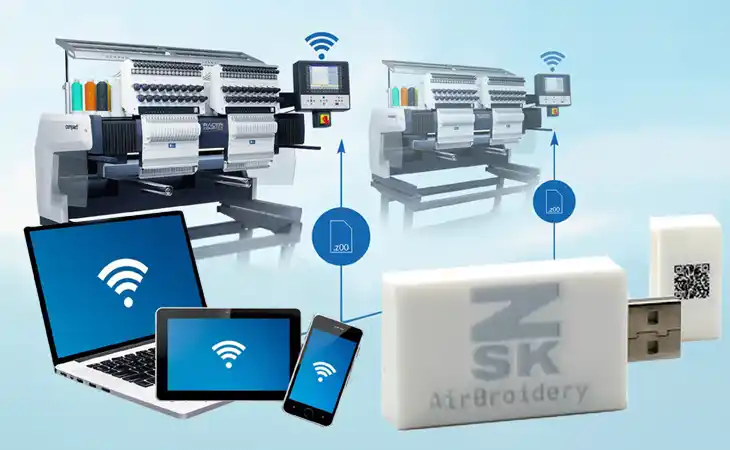
AirBroidery transfers embroidery designs wirelessly from a PC, tablet or smartphone directly to your ZSK embroidery machine – without USB sticks, unnecessary walking or outdated files.
The plug-and-play solution connects via USB, requires no additional software and can save more than 130 hours of operator time per machine each year.
Compatible with current ZSK controls – and, in combination with the ZSK USB Floppy Emulator, even with machines dating back to the late 1980s.
Software Update
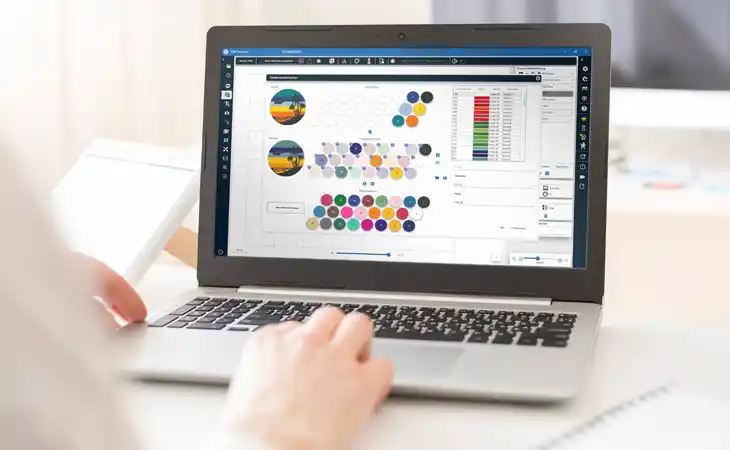
ZSK Terminal Update
- AdvancedImport: import expanded to 30+ formats
- ConverterPlus: TrueView and extended display options
- ColorMatching: Lab- and table-based colour matching
- Create custom thread charts and colour palettes
- CostEstimator: realistic price calculation based on your own costs
- PhotoStitch 2.0
- ProductionPlanner: digital overview of all production orders
- AirBroidery support
- Analyzer / DesignStock: new filter options
- T8 Update News
- Additional language support
ColorMatching
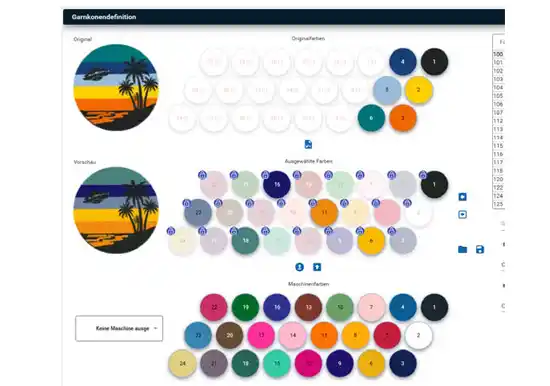
Match the colours of your embroidery design to the machine’s thread system. With LAB-based or custom colour tables, designs can be displayed exactly in the thread palette used on the machine.
This allows colours to be converted seamlessly between different systems – for example from Madeira to Gunold, or to a fully customised mixed palette.
The result: better colour control, fewer surprises in production and a more reliable workflow from design to finished embroidery.
CostEstimator
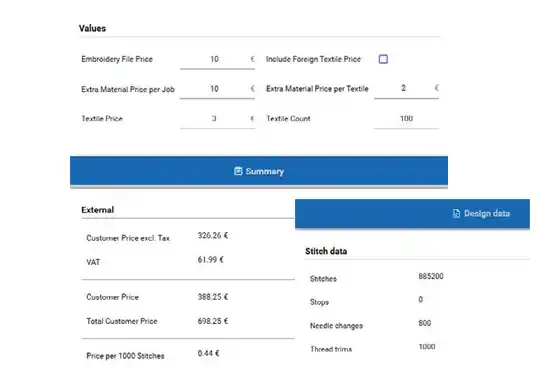
The CostEstimator calculates realistic production prices based on your own costs, such as wages, rent, electricity and running expenses.
Additional material costs can also be entered for each product – for example T-shirts, caps or consumables.
Based on stitch count, density, production time and the selected quantity, the system calculates a price per piece.
This gives you a fast, transparent calculation and helps protect your margin before production starts.
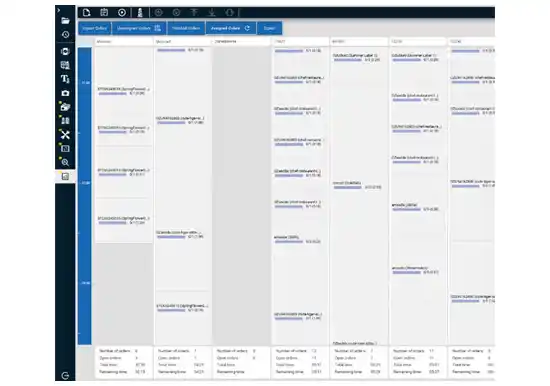
ProductionPlanner
The ProductionPlanner provides a fully digital overview of all production orders, including status, machine assignment, thread, hoops and delivery dates.
This improves machine utilisation, reduces idle time and increases planning reliability.
At the same time, full traceability of orders, design versions and production steps improves quality control and reduces errors.
Software Update
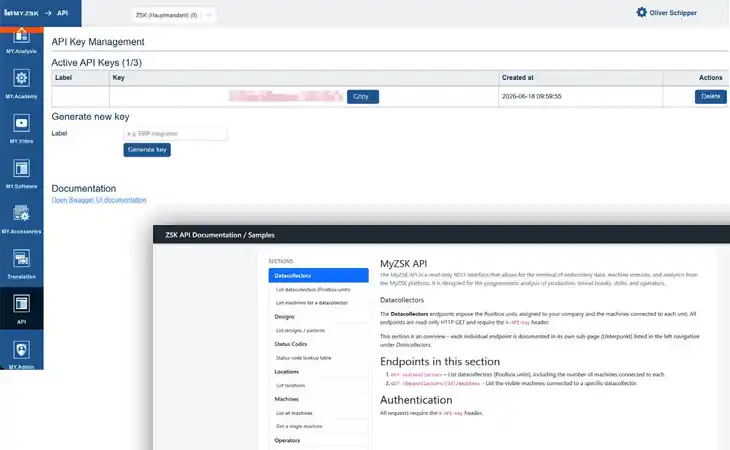
MY.ZSK API
The new MY.ZSK API automatically transfers production and machine data to ERP systems, BI dashboards or custom software solutions. Instead of creating reports manually, you can automatically analyse machine productivity, operator performance, production by design, stitch counts, running times and thread break statistics.
For example, a dashboard can show which machine achieved the highest productivity this month or which design caused the most thread breaks. The API is read-only – providing secure access to data and analyses without changing machine settings. Full documentation and endpoint descriptions are available on the API documentation page.
Software Update
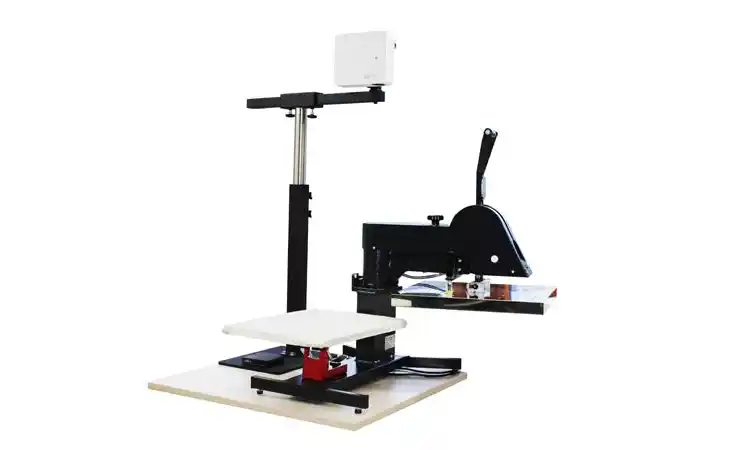
EPS BOW – Software Update
Your production should run itself as much as possible. This EPS update puts automation, multi-machine efficiency, and ease of use front and center — so operators spend less time configuring and more time producing.
- The right template loads automatically – no operator needed: Every template now gets its own web link. Trigger it from your ERP, order management system, barcode workflow, or browser — the EPS loads the correct layout on its own and confirms on screen. Order-driven production without manual steps.
- Manage all your machines from one place – instantly: Templates are now shared across all EPS systems in your network. No manual SMB setup or IP addresses. One change, everywhere.
- Designers hand off layouts directly – zero friction: Templates from the online designer tool can be imported straight into the EPS. Design stays with your team, production stays on the floor.
- Run flawless trade show demos – even without a tablet in hand: Record complete workflows and loop them server-side. The presentation keeps running even when the operating device is closed or disconnected.
- Place markings exactly where your process needs them: The new "Move freely" option lets you position elements outside the pallet area — useful for additional markings alongside the pallet.
More new features:
- International teams: UI defaults to English, switch to German anytime in settings
- Precise positioning: PNG files with DPI data shown at true physical scale automatically
- Android import: import logos directly from OneDrive or Dropbox
- Reliability fixes: template recovery, duplicate ruler, element naming corrected
See EPS BOW as Complete Set Professional in the ZSK online shop
Software Update
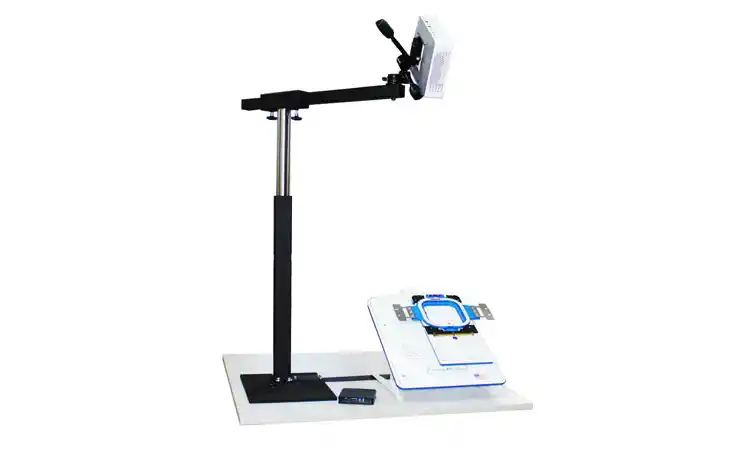
EPS HoopStation – Software Update
Designed to keep production moving, this EPS update enhances automation, simplifies multi-machine management, and improves ease of use — so operators can focus on output, not configuration.
- Demos that run themselves: Record and loop full workflows server-side. No connected device needed during playback.
- Works for international teams out of the box: English by default, German on request. Language preference saved permanently.
- Fits into corporate IT – no workarounds: Extended SMB config now supports domain entry, simplifying network integration.
- See changes immediately – no guesswork: Color updates to elements are reflected instantly, without needing to move the element first.
See EPS HoopStation as Complete Set Professional in the ZSK online shop
New Documentation
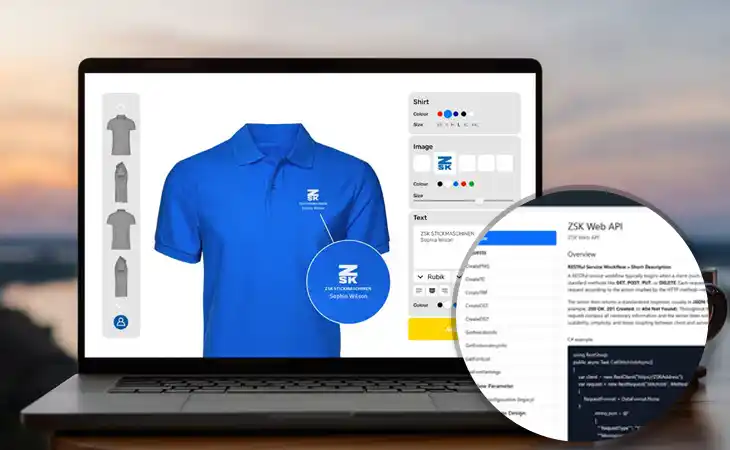
ZSK API Documentation
An API is the interface between different software systems. In our case, it connects webshops and digital product configurators directly with embroidery production.
The user designs a product in the webshop frontend (which is not part of the API!). The API then automatically processes the data in the background: generating previews, preparing embroidery data, and creating production-ready files for the embroidery machine.
To support developers and integration partners, ZSK has now launched a dedicated documentation website for the ZSK API – with technical information, available functions, integration guidelines, and examples for connecting existing systems to embroidery production workflows.
New Video
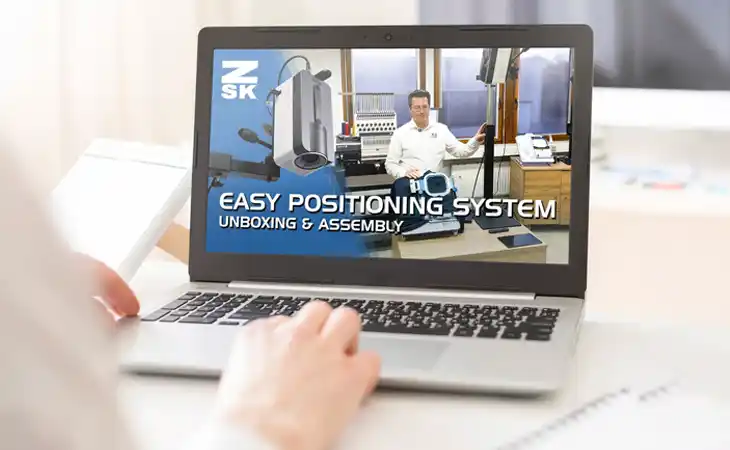
EPS HoopStation – Unboxing & Setup Video
Turn your hooping process into a competitive advantage! In this video we unbox and set up the brand-new ZSK EPS HoopStation – the ultimate solution for speed, accuracy, and reproducibility in apparel decoration.
The problem: Traditional hooping is slow and prone to human error. If the alignment is off, the garment is ruined.
The solution: The EPS HoopStation uses the WYSIWYG (What You See Is What You Get) principle. By projecting your embroidery design directly onto the fabric at the HoopMaster station, even untrained employees achieve professional, repeatable results in seconds.
New Product
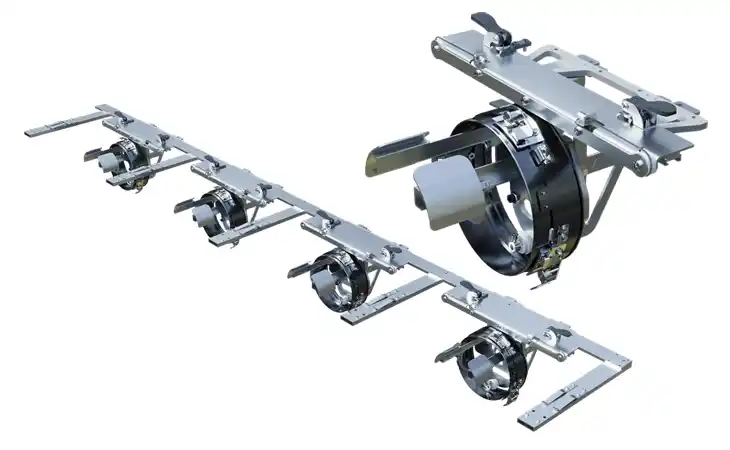
Quick Change Cap Drive
In record time from tubular to cap and vice versa – maximum flexibility for your ZSK. Forget time-consuming setup! Our new quick-change cap drive is simply inserted directly into the tubular setup.
- Change in seconds: no full machine conversion needed
- Hybrid production: use single heads for caps while others stay free – ideal for small series and samples
- Large embroidery fields: 400 mm head spacing → 90×230 mm · 495 mm head spacing → 90×290 mm
Your benefit: less downtime, higher productivity, and the freedom to react to customer demands. Suitable for multihead RACER machines with 400 mm or 495 mm head spacing.
New Magazine
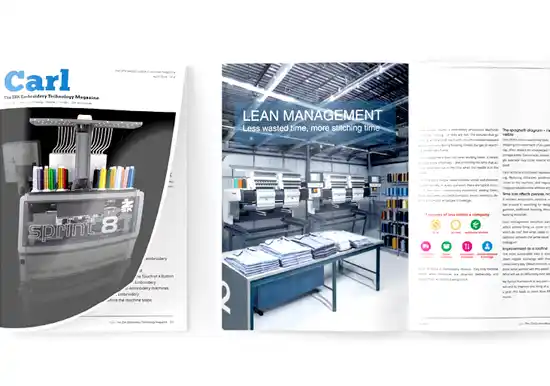
CARL Issue Spring 2026
Digitalisation, personalisation, smart textiles – and at the same time, rising margin pressure. Embroidery is changing faster than most have expected.
In the new CARL issue, we look at what those shifts mean for your day-to-day operation – and where the concrete opportunities are.
New Product
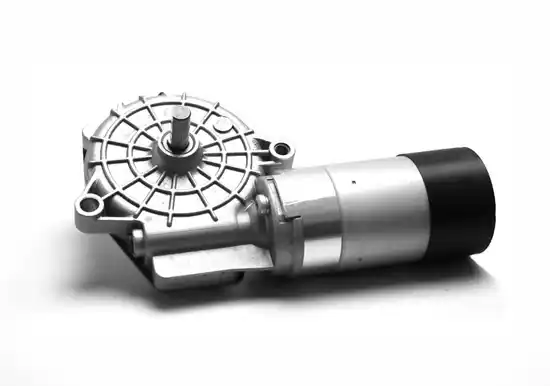
BLDC Motor for Hook & Thread Trimmer
The optional brushless BLDC motor from ZSK reduces wear, maintenance and unplanned stops – for a longer motor service life.
Particularly useful for high-throughput production, frequent thread trims and complex multi-colour designs.
New Product
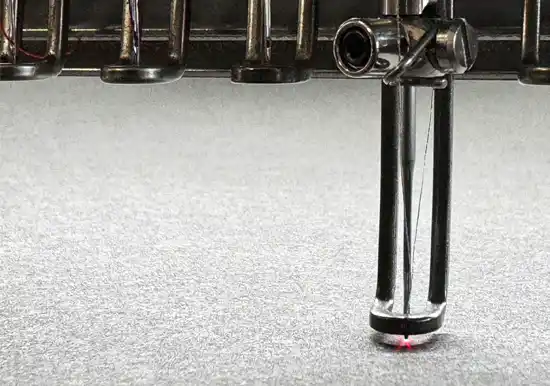
Point Laser
The factory-fitted point laser makes precise positioning and tracing easier – for consistent results on different material thicknesses.
Available for: SPRINT 9, SPRINT R9, RACER Compact models and RACER II 4S & 6S.
New Model
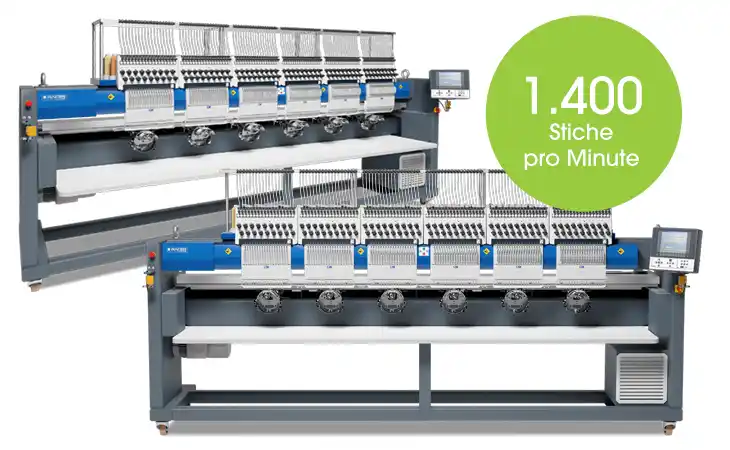
RACER II 6S
- Number of heads: 6
- Number of colors: 18
- Embroidery speed [rpm]: border frame 1,000 · tubular 1,400 · cap 1,000
- Embroidery field size [mm]: border frame 2,400×500 · tubular 405×395 · cap 90×360
- Head distance [mm]: 400
- Measurements L×D×H [mm]: 3,380×1,330×1,720
New Model
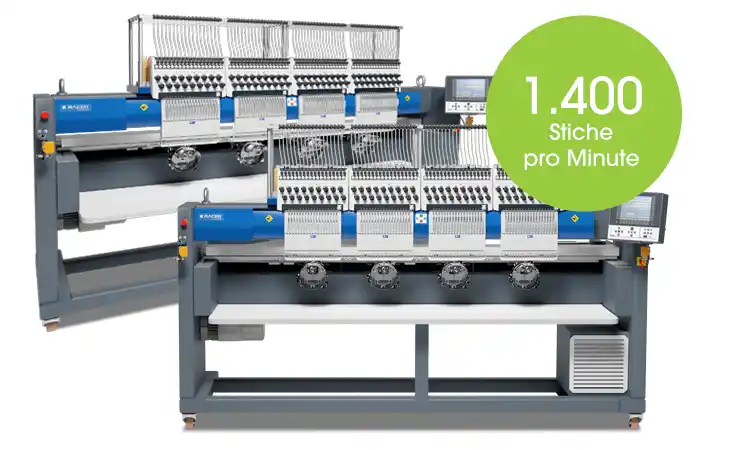
RACER II 4S
- Number of heads: 4
- Number of colors: 18
- Embroidery speed [rpm]: border frame 1,000 · tubular 1,400 · cap 1,000
- Embroidery field size [mm]: border frame 1,600×500 · tubular 405×395 · cap 90×360
- Head distance [mm]: 400
- Measurements L×D×H [mm]: 2,580×1,330×1,720
New Model
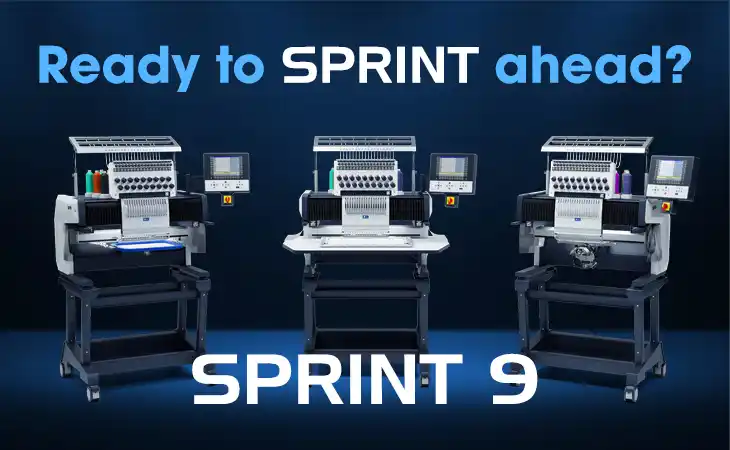
SPRINT 9
- No. of heads: 1 (F-Head)
- No. of colors: 18
- Embroidery field (W×D): 500×360 mm
- Max. Mighty Hoop size: 16×13"
- Embroidery speed: 1,200 rpm
- Operating modes: flat, tubular, cap
- Extras: small tubular arm, Advanced Drives
- Fits through a standard 762 mm (30") door
Lesson Learned
Thread Trimmer Deflector
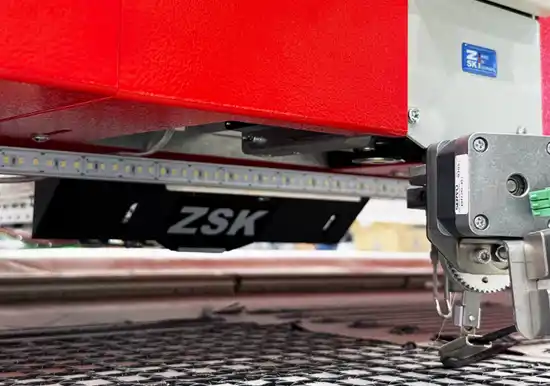
The deflector prevents the material feed tubes from touching or catching on the material cutter. Depending on the stiffness of the supplied material, the feed tubes may bend upward and come into contact with the cutter.
To prevent potential damage to the material cutter and avoid misalignment of the cutter or the Z-axis, the use of this deflector is recommended. Retrofittable for W-Head flatbed machines with material cutter.
Coming soon to the online shop: Item no.: 310.032.921
New Product
Magnetic Patch Frame
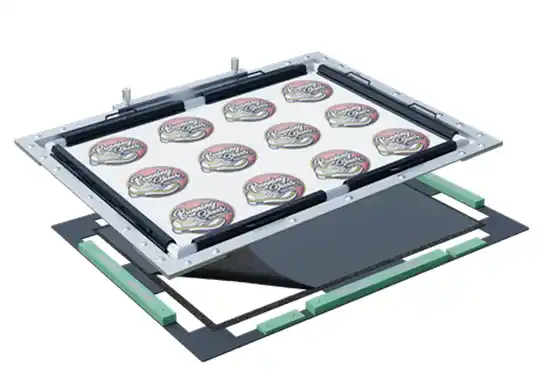
Decorative patches with Hook & Loop – simple, efficient, and with professional results. Here is how it works:
- 1a. Embroider the patches: embroider the patches as usual on the backing material
- 1b. Position the hook side: place the hook side facing downward in the bottom part of the frame
- 2. Connect embroidery to loop: join the two frame parts and embroider an outline to attach the loop to your patches
New Product
Towel Frame
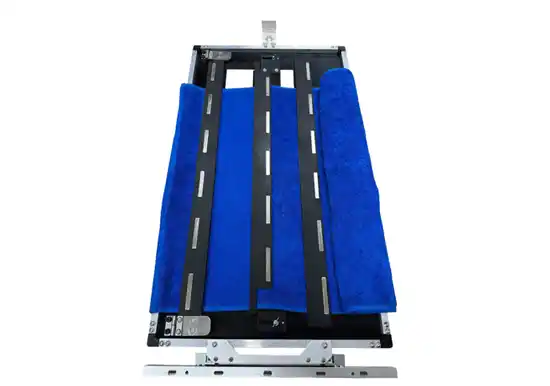
- New Towel Frame for wide-area embroidery on towels
- Embroidery across the entire towel width within a defined corridor
- Eliminates the limitation of small, pre-defined embroidery zones of standard single frames
- Suitable for flatbed and Racer machines with > 700 mm embroidery field depth
- Maximum embroidery area: 558 × 155 mm
- Embroidery width adjustable: 54.5 – 155 mm
- Designed for Z-connection
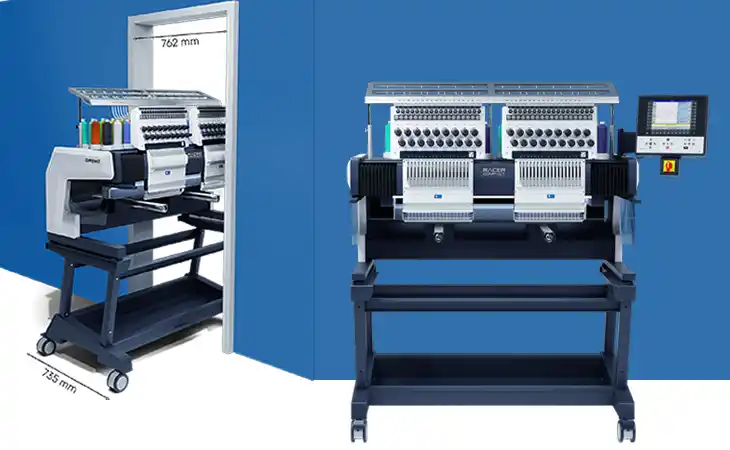
New Model
RACER Compact Twin
- No. of heads: 2 (F-Head)
- No. of colors: 18
- Embroidery field (W×D): 495×360 mm
- Max. Mighty Hoop size: 16×14"
- Embroidery speed: 1,200 rpm
- Operating modes: flat, tubular, cap
- Extras: small tubular arm, Advanced Drives
- Fits through a standard 762 mm (30") door
 Afrikaans
  Albanian
  Armenian
  Bosnian
  Bulgarian
 .svg) Chinese (Traditional)
Chinese (Traditional) .svg) Chinese (Simplified)
Chinese (Simplified)  Croatian
  Czech
Czech  Danish
  Dutch
Dutch  Estonian
  Filipino
  Finnish
  French
  Georgian
  Greek
Greek  Hindi
Hindi  Hungarian
  Indonesian
  Icelandic
  Italian
  Japanese
  Korean
  Latvian
  Lithuanian
  Malay
Malay  Maltese
  Macedonian
  Norwegian
  Polish
  Portuguese
  Romanian
  Russian
  Swedish
  Serbian
  Slovak
  Slovenian
  Spanish
  Tamil
Tamil  Thai
Thai  Turkish
  Ukrainian
  Vietnamese