



Support by machine: manuals, spare parts and software for every ZSK series
Pick your ZSK series and find everything in one place: spare parts catalogue, user manuals, the route to the latest T8 software, how-to guides and the service request.
How do I find the documents for my ZSK machine?
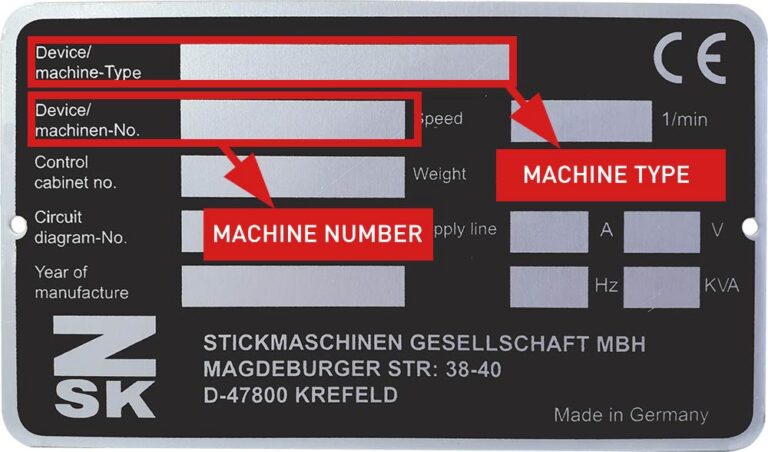
Read the model name and machine number off the type plate: on RACER and CHALLENGER it is on the front, bottom left; on SPRINT it is on the back. Then jump to your series below, where you will find the matching spare parts catalogue, the relevant manuals and notes on software. If your machine is down, report the issue straight away with the machine number via the service request.
Which ZSK machine do you have?
One click takes you to the section for your series. Documents that apply to every machine follow directly below.
T8 software only via ZSK TERMINAL
T8 software for T8, T8-2 and T8-3 is now only available via ZSK TERMINAL, including the free Free tier. TERMINAL tells you about new versions on its own and shows which of your machines they suit.
- Register for ZSK TERMINAL free of charge in the License Hub and install it.
- TERMINAL reports new T8 software at start-up, or open “Machine Firmware Updates”.
- Download the package, unzip it and copy it to an empty USB stick.
Exceptions: the software does not apply to SPRINT 4 (even if upgraded with T8/T8-2/T8-3) or to the TFT and LCD control units. In that case, please contact your ZSK representative. Never install software older than 19.01.2012 on a T8-2 or T8-3. Questions to software@zsk.de.
Safety, maintenance, adjustments
- Safety guidelines in 24 languages
- Recommended maintenance schedule (PDF)
- Maintenance of all machines with T8 (PDF)
- Servicing control components and air vents (PDF)
- Picker adjustment (PDF) and thread tension (PDF)
- 18 documents for the T8 control unit, including network and MY.ZSK set-up, barcode, reference point and machine password
- User manuals Tubular arm V2.6 and Flat embroidery V2.6, plus guides to the FA/FB, F, W and K heads
- Initial operation record, glossary, unloading and transport
Support for your SPRINT
The current SPRINT series comprises eight models on one platform: SPRINT 9, SPRINT R9, SPRINT 9 MAX, SPRINT 7 MAX, SPRINT 7L / 7L MAX, SPRINT 7XL, SPRINT 8 and SPRINT NX. The type plate is on the back of the machine.
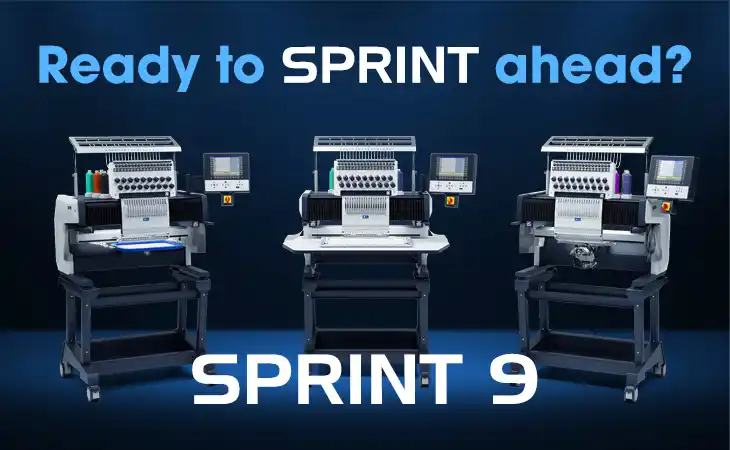
- SPRINT 6 · SPRINT 7 · SPRINT 7L · SPRINT 7XL
- SPRINT 8 · SPRINT R9 · SPRINT NX
- SPRINT 7L Max: currently unavailable
- Download the 3D PDFs and open them in Acrobat Reader (desktop) with 3D content enabled, instructions
- Sprint · Sprint 2 · Sprint 4 · Sprint 5.1
- Tubular / Lower Arm (PDF), listed under “SPRINT series” on the catalogue page
- No catalogue for your model? Ask parts@zsk.de, quoting your machine number.
- Unloading instructions Sprint series (PDF)
- Quick change system Sprint (PDF)
- T8 updates via ZSK TERMINAL, SPRINT 4 excepted
- ROLL2BASKET for SPRINT: ROLL2BASKET service
Support for your RACER
The RACER family covers RACER, RACER II, RACER XL, RACER COMPACT, RACER CLASSIC and the R series, with 1 to 12 heads. The type plate is on the front, bottom left. In the model name, the number gives the heads; S stands for 400 mm head spacing, W for 495 mm, L for 700 mm embroidery field depth and II for the generation with 18 needles.
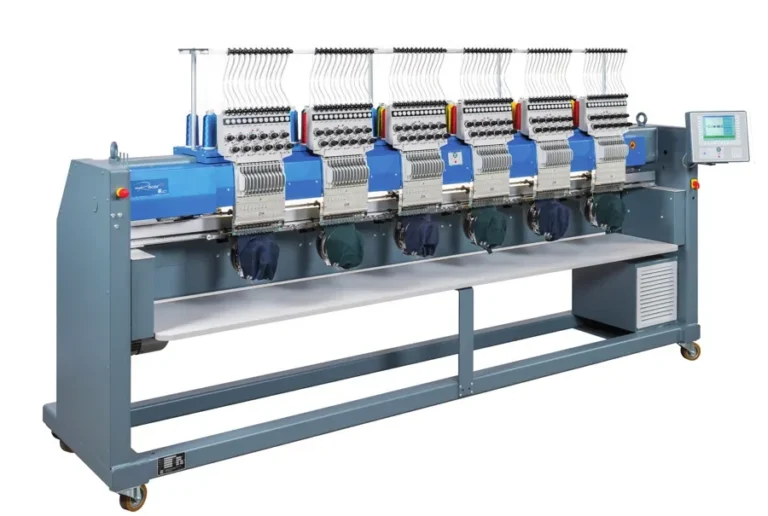
- RACER 4S · RACER 6W · RACER 4S II · RACER 6S II · RACER 8W II SF
- RACER 1XL SKW · RACER 0224-700 D SKW · RACER Compact Twin · RACER H0118
- RACER R1 W · RACER R4 W · RACER R0218
- Model not listed? Ask parts@zsk.de, quoting your machine number.
Support for CHALLENGER and the S to Z series
On the CHALLENGER the type plate is on the front, bottom left. A model code such as YGF 1418-480D first describes the machine frame (YG) and the head type: F is the standard embroidery head, W cording, K chain stitch, while H, Z and V are combinations. Then come the number of heads, needles per head and head spacing. CYGF denotes a standard flatbed machine with CHALLENGER drive technology.
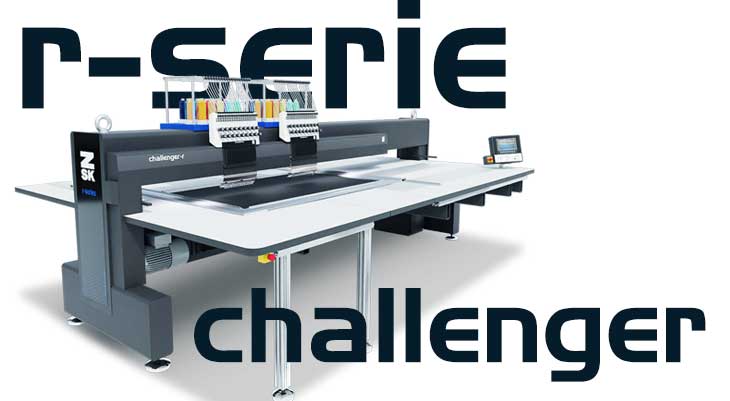
- Flatbed: Basic Flat System · MCF / LBF / LCF / XCF / XGF / YCF / YGF · SCF · SGFA / MxFA / LxFA / XxFx / YxFA / ZxFA
- Combination: MCZ / XCZ / XGZ / YCZ · SCZ
- Specialised: SGVA · SGZA / YGZA / ZBZA
- The catalogues carry type codes and do not mention “CHALLENGER”. Whether a catalogue fits your CHALLENGER is checked by the spare parts team using your machine number (parts@zsk.de).
- Challenger frame limitation (PDF)
- W head: guide · maintenance
- K head: guide · maintenance · sample book moss and chain
- CHALLENGER machines with MCP 35 receive regular updates for T8-2 and T8-3 via ZSK TERMINAL
Support for technical embroidery systems
TFP, TWP and TTP all use the W head: it lays fibres, wires and tubes and fixes them with a zigzag stitch. Every system is configured in Krefeld for your application. Operating manuals for TFP systems are not in the download area; the ZSK service team provides the documents for your system.
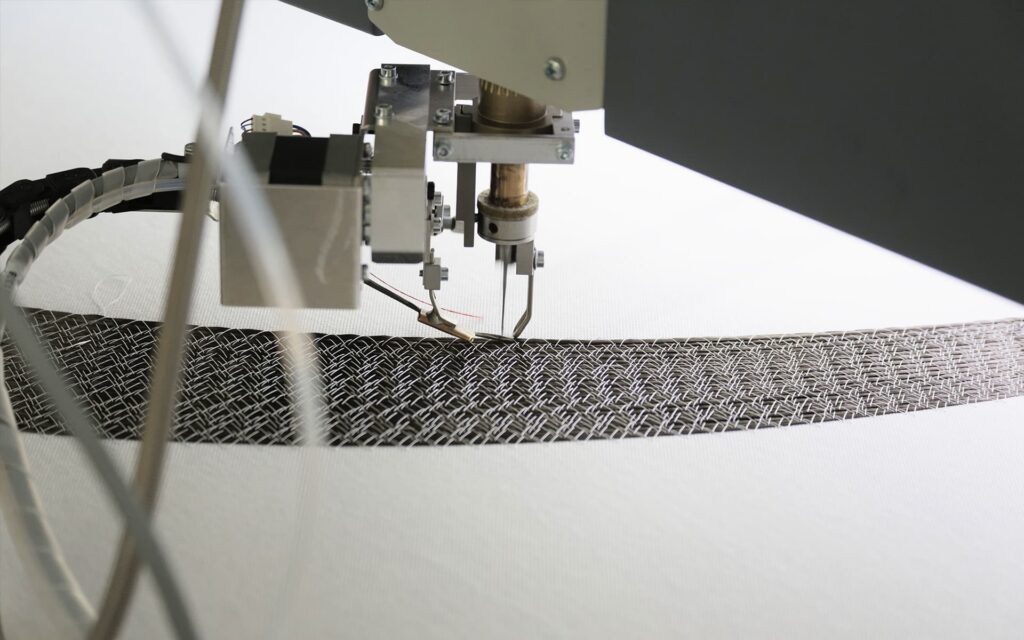
- W head guide (PDF)
- W head maintenance (PDF)
- CarbonPath: fibre paths from the load case, embroidery program in EPCwin
- EPCwin updates
Support for devices and accessories
Manual, spare parts catalogue and shop category for each device.
| Device | Manual | Spare parts catalogue | Shop / more |
|---|---|---|---|
| ROLL2BASKET | Roll2Basket · rewinder | – | ROLL2BASKET service · Shop |
| Roll2Roll | – | – | Product page · Embroidery from the roll |
| Sequins | Sequin device · Twin T6 | Sequin device, V5–V9, twin T1–T6 | Shop · Product page |
| Beads | Bead device · twin | – | Shop · Product page |
| Cord / loop | Cord/loop · double-roller · zigzag EP 1.2 | Cord loop · double-roller cording | Shop · Product page |
| Boring device | Boring attachment | Boring device | Shop · Product page |
| Cap | Cap device ’03 | – | Shop |
| Bobbin case changer | BC and Auto Select BC | Bobbin case changer | – |
| Positioning system OPS 2 | OPS 2 | – | – |
| Hot air cutting (HAC) | – | – | Shop · Product page |
| Bobbin winders | Table, automatic, unwinder and W bobbin winders | – | – |
Further catalogues, such as the ribbon embroidery device, cutting device or pneumatic tensioners, are in the catalogue overview. Retrofittable accessories are shown under Upgrade your ZSK.
Spare parts catalogues for earlier series
Spare parts come straight from Krefeld, and ZSK machines from the 1990s are still running today. These PDF catalogues are named after the type code shown on the type plate. For earlier SPRINT models, see SPRINT.
| Group (as on the catalogue page) | Catalogues |
|---|---|
| Tubular | J / JB · JF / JNF · JAF / JNF · JAFA / JNFA · T · TF · Tubular / Lower Arm |
| Combination | JC · JCK · JCW · JCW since May 2006 · JCZ |
| Specialised | JATA · JCZA |
| Special | MCSW / xCSL |
The T8 software in ZSK TERMINAL does not apply to TFT and LCD. Please contact your ZSK representative or service@zsk.de.
Many parts are in the shop, for example under tubular arm JAFA series. If a part is missing, the shop page Item not in the store explains how to order it, or write to parts@zsk.de quoting your machine number.
Where can I find the machine number?
The machine number and model name are on a metal plate on the machine: on RACER and CHALLENGER on the front, bottom left; on SPRINT on the back.
- The machine serial number is mandatory for a service request. Also helpful: machine type, embroidery field, electronic version (MSC-…), control unit and the error message on the controller.
- Control units are TFT, LCD, T8-1, T8-2 or T8-3. The service request shows pictures to help you tell them apart.
- You can upload photos and videos (JPEG, GIF, PNG, BMP, MP4, MKV, MOV, AVI, WEBM). On photos of embroidery, mark the position of the embroidery head relative to the design.
- The service team handles requests Monday to Friday.
Guides and courses for operators
Machine down? We are here to help.
Machine service: service@zsk.de · Spare parts: parts@zsk.de · Software: software@zsk.de · Head office Krefeld: +49 2151 4440
Questions about support for your machine
Short answers on documents, spare parts and software. Can't find your question? The ZSK service team will help you personally.
Where can I find the machine number of my ZSK?
The machine number and model name are on the metal plate on the machine. On RACER and CHALLENGER it is on the front, bottom left; on SPRINT it is on the back. Please quote the number with every service or spare parts request.
Where do I get updates for the T8 software?
T8 software is now only available via ZSK TERMINAL, including the free Free tier. It does not apply to SPRINT 4 or to the TFT and LCD control units; in that case your ZSK representative will help. Never install software older than 19.01.2012 on a T8-2 or T8-3.
Why won't the 3D spare parts catalogue open in my browser?
3D catalogues cannot be displayed in the browser. Download the PDF and open it with the desktop version of Acrobat Reader. Under Preferences, Multimedia & 3D, tick “Enable playback of multimedia and 3D content”.
I can't find a spare parts catalogue for my machine. What should I do?
Write to parts@zsk.de and quote the machine type and machine number so the right part can be found quickly. If a part is missing from the online shop, the shop page “Item not in the store” explains how to order it.
Are the manuals available in English?
Yes. The user manuals page has English versions of the global documents, user manuals, stitch head guides, T8 documents, accessory manuals and maintenance plans. The safety guidelines are available in 24 languages.
What information does the service team need when a machine is down?
The machine serial number is mandatory. Machine type, embroidery field, electronic version, control unit, the error message shown and a short description all help. You can upload photos or videos directly in the service request; the service team handles requests Monday to Friday.